
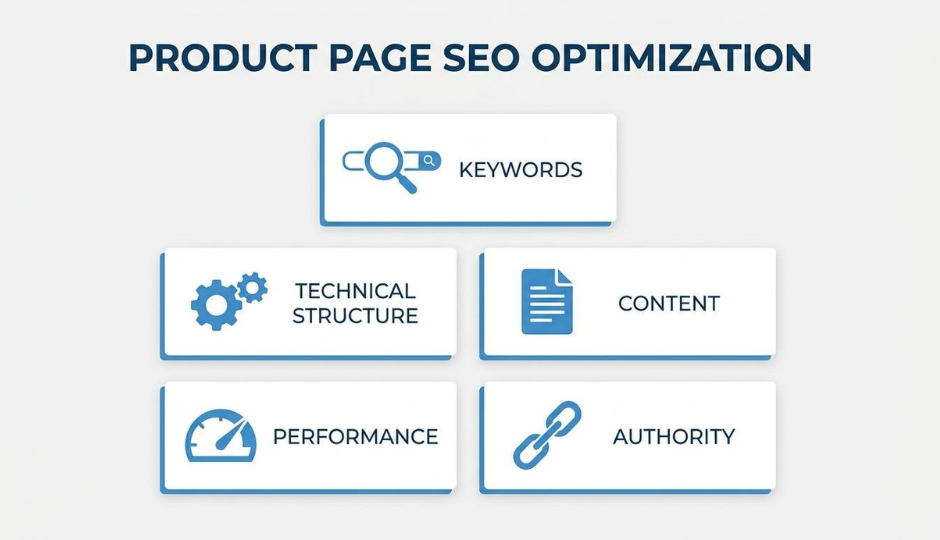
Ecommerce product page SEO is the process of aligning on-page content, technical structure, and user experience so each product URL earns organic search visibility and drives conversions.
This guide covers keyword research and on-page content, technical markup and page architecture, media optimization and performance, off-page authority and user-generated content, and platform-level SEO integration.
Keyword research starts with assigning one primary transactional keyword per product URL, layering in long-tail buyer-intent terms, and mapping every keyword to a single page to prevent cannibalization. Title tags, meta descriptions, and product descriptions then place those keywords into copy that stays within display limits while reading naturally to shoppers.
Technical structure spans URL formatting, heading hierarchy, structured data, and canonical tags. Short, hyphen-separated URLs aligned with breadcrumb navigation help Google categorize pages accurately, while Product schema markup surfaces price, availability, and star ratings as rich snippets. Canonical tags consolidate ranking signals across color and size variants that would otherwise compete against each other.
Image optimization, page speed, and mobile responsiveness form the performance layer. Descriptive alt text, compressed WebP files, minified code, and touch-first mobile layouts directly influence Core Web Vitals scores and user retention.
Customer reviews generate fresh, keyword-rich content that differentiates pages from competitors, and strategic internal linking paired with digital PR backlinks builds page-level authority that generic domain signals cannot replace.
When these controls live natively inside the commerce platform, as they do with SHOPLINE, plugin bloat drops, page speed improves, and SEO management consolidates into a single product editing workflow.
An ecommerce product page becomes SEO-friendly when it aligns technical structure, content quality, and user search intent into a single cohesive page. The core elements span on-page content, site architecture, and performance signals.
A well-optimized product page addresses several interconnected factors:
According to Baymard Institute research, only 49% of ecommerce sites achieve a "decent" or "good" UX performance rating for their product pages, while 51% fall into "mediocre" or worse categories. That gap represents a significant ranking and conversion opportunity for brands willing to treat each product page as a standalone SEO asset rather than a simple catalog entry.
For most scaling ecommerce operations, the difference between ranking on page one and page two often comes down to how thoroughly these fundamentals are executed at the individual page level. Understanding each element in detail starts with keyword research.
You conduct keyword research for product pages by identifying a primary keyword per product, layering in long-tail buyer-intent terms, and mapping each keyword to a single URL to prevent cannibalization. The following sections break down each step.
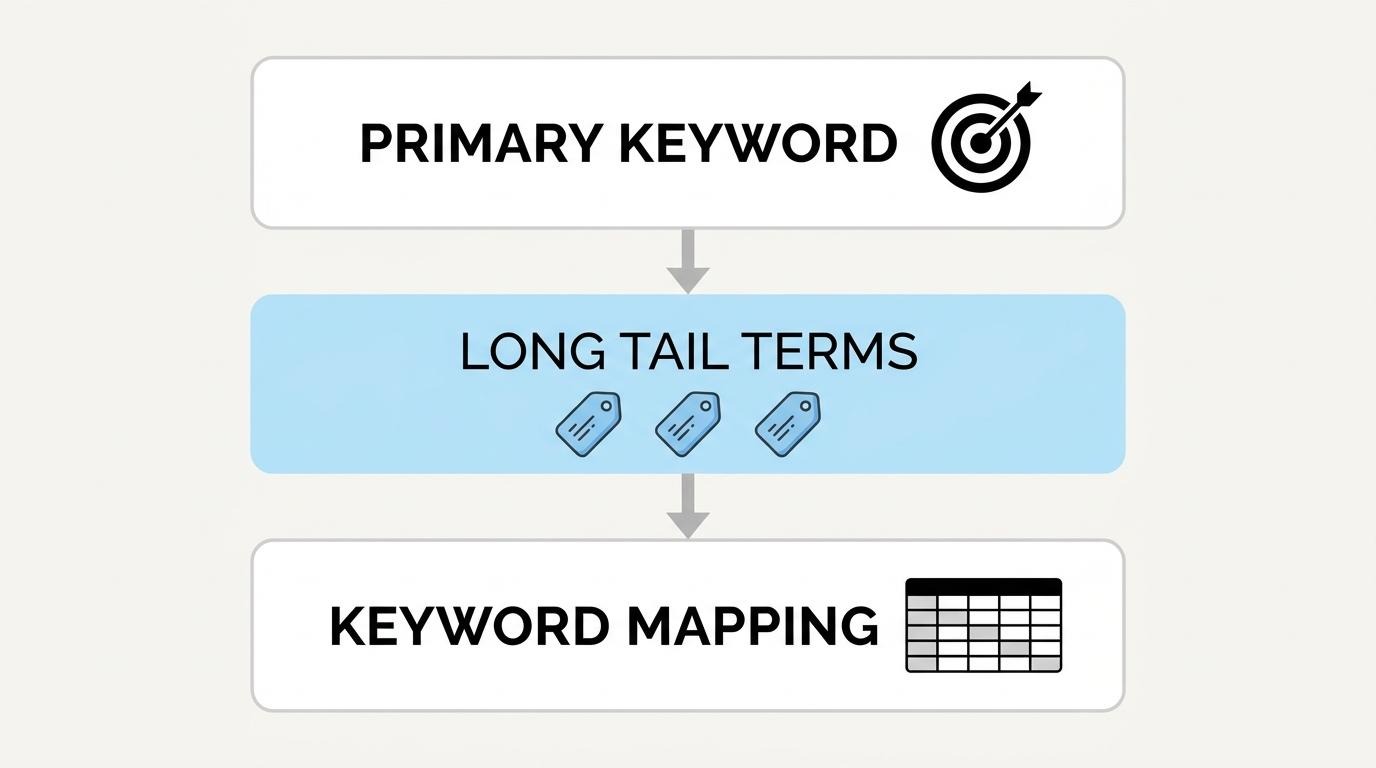
You find primary keywords for a single product by starting with the exact term a shopper would type when ready to buy that specific item. The primary keyword should describe the product precisely, combining the product type with its most distinguishing attribute.
To identify the right primary keyword:
One primary keyword per product page keeps ranking signals focused. For most scaling ecommerce operations, getting this single term right matters more than chasing dozens of secondary phrases.
You identify long-tail keywords that match buyer intent by filtering for transactional search queries. According to Moz, transactional keywords are queries indicating a user's intent to take action on a website, such as buying, signing up, or contacting.
Long-tail terms that signal purchase readiness typically include:
These phrases carry lower individual volume but higher conversion potential. Pulling them from "People Also Ask" boxes, review language on your own site, and customer support tickets reveals the exact vocabulary buyers already use.
You map keywords across multiple product pages without cannibalization by assigning one unique primary keyword to each URL and documenting assignments in a keyword map. When two pages target the same phrase, Google splits ranking signals between them, weakening both.
A practical mapping process includes:
A Digitaloft study of 300 top-ranking UK ecommerce category pages found the average unique text content was just 310 words, with 66% of pages under 400 words. This shows that businesses don’t always need long-form copy to rank well, though writing distinct copy at optimal text lengths per page gives Google a clear reason to rank each URL independently.
With keyword assignments locked in, the next step is placing those terms into title tags that earn clicks.
You should write SEO-optimized product page title tags by keeping them within display limits, placing primary keywords early, and appending modifiers that match buyer search patterns. The sections below cover length, keyword placement, and modifier strategy.
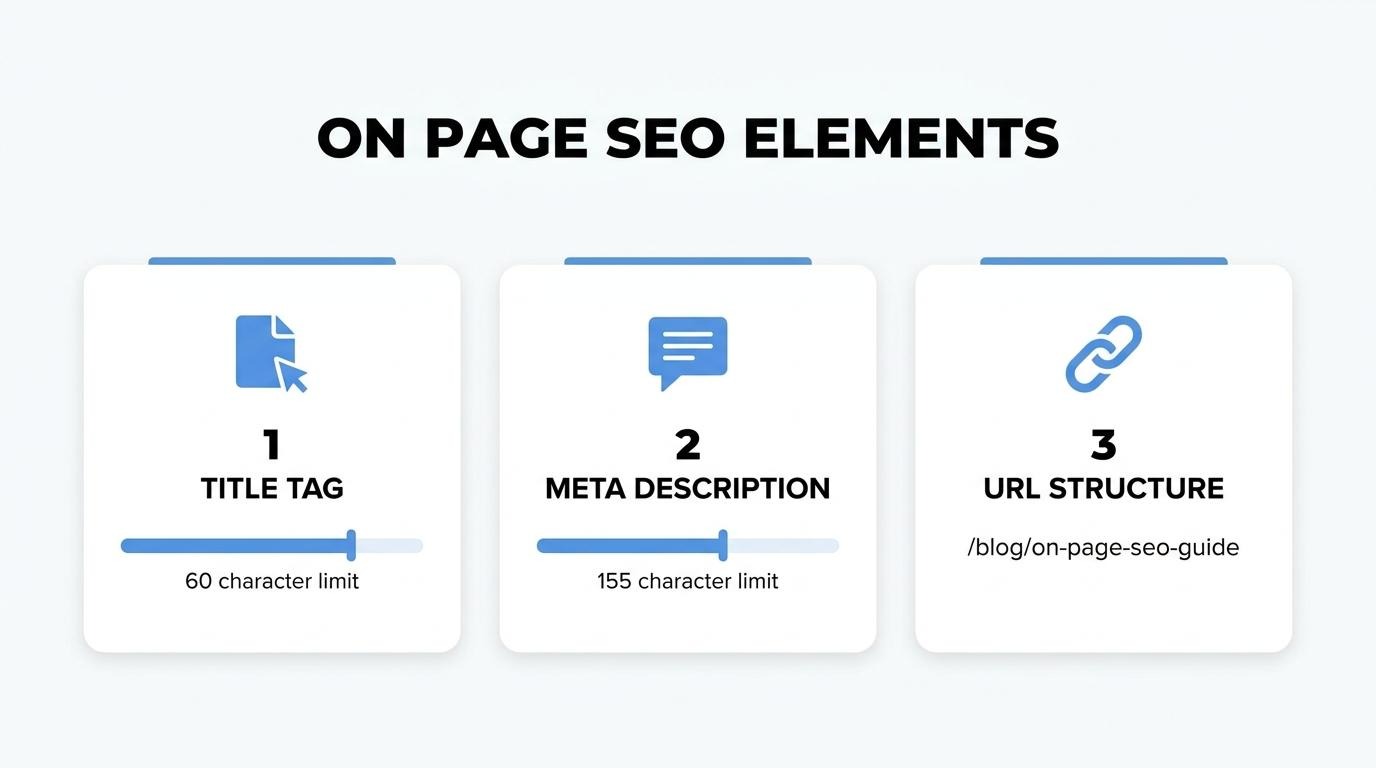
A product page title tag should generally be around 55 to 65 characters in length. Statistical analysis across multiple keyword search results indicates that titles within this range can be fully displayed in search results, according to SHOPLINE's SEO documentation. Titles exceeding this threshold get truncated, which hides important product details and reduces click appeal.
To stay within the limit:
Cutting even a few unnecessary words can mean the difference between a fully visible title and one that trails off with an ellipsis.
You include keywords naturally in a product title tag by placing the primary keyword at or near the beginning, then letting the rest of the title read like a phrase a shopper would actually type. Stuffing multiple keyword variations into a single title tag creates an unnatural string that hurts both click-through rate and search engine trust.
A practical formula works well: [Primary Keyword] + [Key Differentiator] + [Brand]. For example, "Organic Cotton Bath Towels, Set of 4 | BrandName" targets the search query while staying readable. Each product page should target one distinct primary keyword to avoid cannibalization across your catalog.
You should add modifiers like brand, color, or size when those attributes match the way shoppers actually search for the product. Transactional queries often include specific attributes; a buyer searching "red leather crossbody bag" has narrower intent than someone searching "crossbody bag" alone.
Prioritize modifiers based on search behavior:
Not every modifier belongs in every title. For most stores, the strongest approach is reserving title tag space for the one or two modifiers that appear most frequently in keyword research for that specific product.
Understanding title tag structure sets the foundation; the meta description then determines whether searchers actually click through.
You write meta descriptions that improve click-through rate by combining the primary keyword, a clear product benefit, and a direct call to action within the character limit. The goal is simple: give searchers a compelling reason to click your listing instead of the competition’s.
On desktop, Google displays meta descriptions up to approximately 920 pixels wide, which translates to roughly 155–161 characters. Mobile screens are narrower, capping visibility at about 680 pixels, or around 120 characters. Writing within these constraints ensures the full message appears without truncation on either device.
A strong ecommerce meta description follows a predictable structure:
Each product page needs a unique meta description. Duplicating the same snippet across dozens of product pages dilutes relevance and makes every listing look interchangeable in search results. For stores managing hundreds of SKUs, setting a templated format that pulls in product name, category, and one differentiator is more practical than writing each one from scratch. Even a template-based approach outperforms leaving the field blank, which forces Google to auto-generate a snippet from page content.
Prioritizing mobile-length descriptions is a practical default. If the core message lands within 120 characters, it reads well on both devices; the remaining desktop space can add a secondary benefit without risking the primary pitch on smaller screens.
With meta descriptions drafted, the next step is structuring the product page URL for clean indexing.
You structure a product page URL for SEO by keeping it short, readable, and keyword-rich while reflecting your site's category hierarchy. A well-structured URL helps search engines parse page relevance and helps users understand where they are on your site.
The most effective product page URLs follow a consistent pattern:
Aligning URL structure with breadcrumb navigation reinforces topical signals. According to Google Search Central, Google Search uses breadcrumb markup in the body of a web page to categorize page information in search results. When the URL path mirrors the breadcrumb trail, both users and crawlers receive consistent hierarchy signals.
Avoid changing live product URLs without implementing 301 redirects. Broken URLs lose accumulated link equity and create crawl errors that weaken the entire product catalog. For most scaling stores, the simplest approach is to set URL conventions before launch and enforce them as a store-wide standard.
With URL structure locked in, writing unique product descriptions gives each page the on-page content it needs to rank.
You should write unique product descriptions that rank by crafting original copy for every product, balancing target keywords with persuasive language, and matching description length to the product's complexity. The sections below cover uniqueness, keyword integration, and ideal word count.
A product description is unique when it contains original language written specifically for that item, not manufacturer-provided boilerplate shared across dozens of retailers. Duplicate descriptions occur when stores copy supplier text verbatim or reuse identical phrasing across similar SKUs. Google's indexing favors pages with distinct content because unique text provides fresh entity signals and clearer topical relevance.
According to a Digitaloft analysis of 300 top-ranking UK ecommerce category pages, the average unique text content was just 310 words, with 66% of pages containing under 400 words. Even modest original copy can create meaningful differentiation. Rewriting feature lists into benefit-driven sentences, adding use-case context, and including product-specific details like materials or dimensions all push a description past the duplicate threshold.
You balance keyword placement with persuasive copy by anchoring your primary keyword in the first sentence, then letting supporting terms appear where they serve the buyer's decision. Front-loading the target phrase signals relevance to search engines immediately.
Effective integration follows a simple pattern:
Overstuffing keywords degrades readability and triggers quality filters. When the copy answers a real buyer question, such as sizing, material feel, or compatibility, keywords tend to land in the right density without forced repetition.
An ecommerce product description is typically around 150 to 300 words for standard products, scaling up to 500 or more words for complex, technical, or high-consideration items. There is no universal ideal; length should match the information a buyer needs to make a confident purchase decision.
Simple products like basic apparel need concise copy covering fit, fabric, and care. Electronics or specialty goods benefit from longer descriptions that address specifications, compatibility, and common objections. Prioritize completeness over arbitrary word targets. Every sentence should either answer a buyer question or reinforce a reason to purchase.
Understanding what makes descriptions rank well naturally leads to how you present product images to search engines.
You optimize product images for search engines by writing descriptive alt text, using keyword-rich file names, and compressing files for fast loading. The following subsections cover alt text, naming conventions, and compression.
You write descriptive alt text for product images by combining the product name, key attributes, and a brief visual description in a concise phrase. Alt text serves two functions: it tells search engine crawlers what the image depicts, and it provides accessible descriptions for screen readers.
Effective alt text follows a simple pattern. Include the product type, brand or material, color, and use context. For example, "red leather crossbody bag with gold buckle" gives Google clear entity signals while remaining natural.
Avoid these common mistakes:
According to Baymard Institute, 39% of users stop engaging with a website when images fail to load or load too slowly. Descriptive alt text ensures the product context still reaches users and crawlers even when images do not render.
File naming conventions that improve image SEO replace default camera strings with descriptive, hyphen-separated keywords that reflect the product. Search engines parse file names as ranking signals before the image ever loads on the page.
A strong file name includes:
Avoid underscores, spaces, or strings like "IMG_4032.jpg." These carry zero semantic value. Renaming files before upload is a small step that compounds across hundreds of product images, giving crawlers consistent, keyword-aligned context for every asset in the catalog.
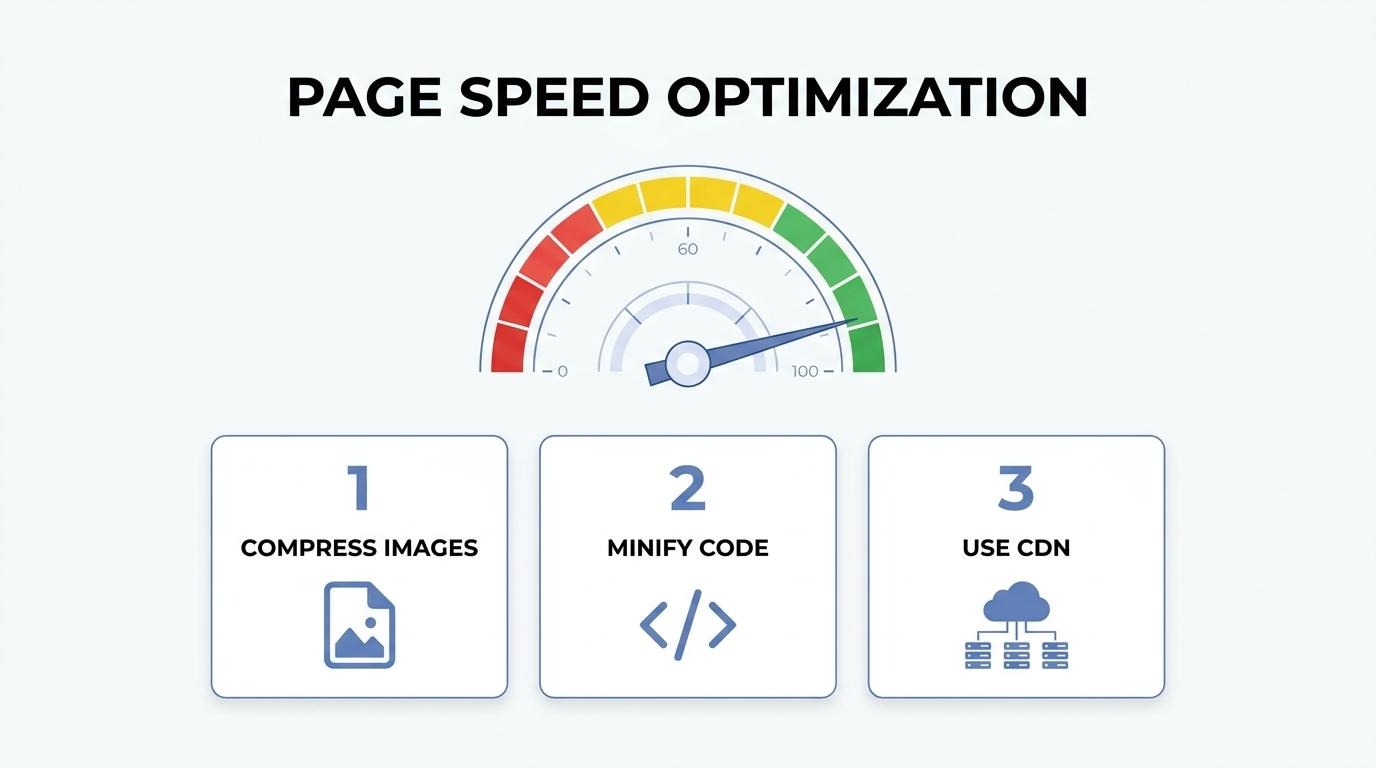
You compress images without losing quality by using modern formats and tools that reduce file size while preserving visual detail. WebP and AVIF formats deliver smaller files than traditional JPEG or PNG at equivalent visual fidelity, which directly supports faster page loads and stronger Core Web Vitals scores.
A practical compression workflow includes:
For stores managing large catalogs, balancing visual quality with load speed is one of the highest-impact technical SEO decisions available. Every kilobyte saved across thousands of product images translates into measurably faster page rendering.
With images fully optimized, correct heading tag structure ensures the rest of the page communicates a clear content hierarchy to search engines.
You use heading tags correctly on a product page by assigning a single H1 to the product name, then using H2s and H3s to organize supporting content sections in a logical hierarchy.
Many product pages bury all content under a single heading or use heading tags purely for visual styling, which strips away the structural signals Google relies on for passage indexing. A clean heading hierarchy also improves accessibility, since screen readers navigate pages by heading level. For brands managing hundreds of SKUs, consistent heading templates across product pages create a scalable, crawlable structure that compounds over time.
With heading structure in place, structured data lets you surface even richer product details directly in search results.
Structured data helps product pages rank by giving search engines explicit, machine-readable signals about price, availability, reviews, and product relationships. The schema types that matter most, implementation for price and availability, and review markup for rich snippets are covered below.
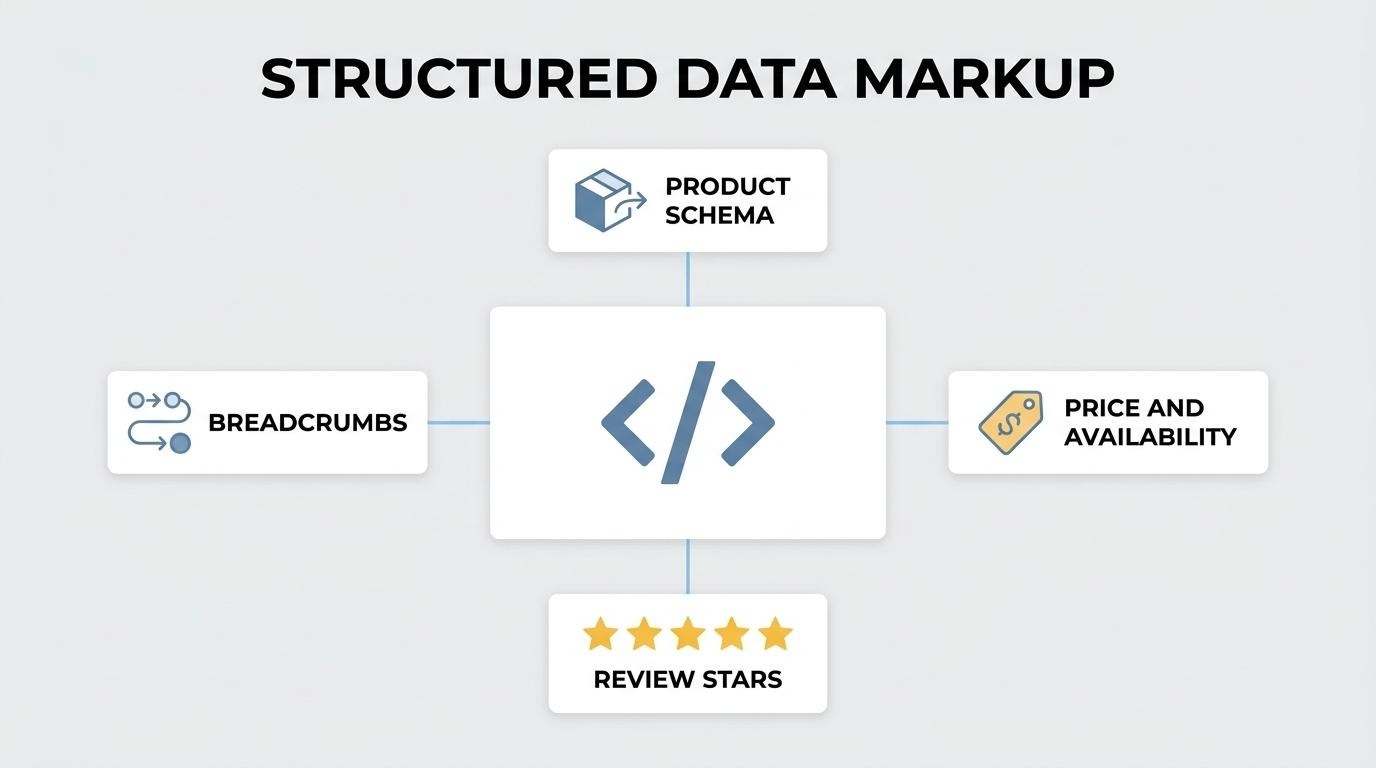
The schema markup types that apply to product pages are Product, Offer, AggregateRating, Review, and BreadcrumbList. Product schema defines the item itself: name, brand, SKU, and image. Offer schema nests inside Product to declare price and availability. AggregateRating and Review schemas surface star ratings in search results. BreadcrumbList schema helps Google categorize page hierarchy, which, according to Google Search Central, allows search engines to display breadcrumb navigation directly in results. Product variant structured data also plays a role; Google notes that adding it can help the search engine better understand which products are variations of the same parent product. Most scaling stores need all five types working together for full SERP coverage.
You add product schema for price and availability by nesting an Offer object inside the Product schema with these required properties:
Include priceValidUntil for sale pricing so Google knows when the displayed price expires. Validate markup through Google's Rich Results Test before publishing. For stores managing hundreds of SKUs, platforms that generate this schema automatically at the page level eliminate manual JSON-LD errors that commonly break rich results.
You earn rich snippets with review schema by implementing AggregateRating markup that includes ratingValue, bestRating, and reviewCount within your Product structured data. Google requires these fields to display star ratings in search results.
Key requirements for eligibility:
Star-rich snippets consistently improve click-through rates by making listings visually distinct in crowded SERPs. For brands already collecting reviews natively, this markup converts existing social proof into a measurable search visibility advantage.
With structured data in place, page load speed determines whether those enriched listings translate into actual conversions.
You improve product page load speed for SEO by reducing file sizes, minimizing render-blocking code, and optimizing server response times. Most ecommerce sites underperform here; according to Reboot Online, the average ecommerce website achieves a Google Lighthouse score of just 67 out of 100 for speed and performance. That gap represents a real ranking disadvantage, since Google uses Core Web Vitals as a confirmed ranking signal.
The most effective speed improvements for product pages include:
For scaling brands running multiple apps and plugins, each additional tool often injects its own scripts, compounding load time. Consolidating functionality into fewer systems is one of the most overlooked speed optimizations. Test changes using Google Lighthouse and PageSpeed Insights, then monitor Core Web Vitals in Google Search Console to confirm real-world improvements hold across devices.
With speed optimized, mobile usability becomes the next critical factor for product page rankings.
You optimize a product page for mobile search by designing for touch-first interactions, fast rendering, and simplified navigation. Key areas include responsive layout, mobile-specific UX, and structured breadcrumbs.
Mobile-first indexing means Google evaluates your mobile page as the primary version. According to Baymard Institute, mobile users are five times more likely to abandon a task if the website is not optimized for mobile. That stat alone makes mobile optimization non-negotiable for product pages carrying transactional intent.
Responsive design is the baseline, not the finish line. Product pages need tap-friendly buttons, collapsible description sections, and sticky add-to-cart elements that stay accessible during scroll. Images should load in mobile-appropriate dimensions, and form fields for quantity or variant selection must be large enough to prevent input errors on smaller screens.
Breadcrumb navigation plays a dual role on mobile product pages. Google Search uses breadcrumb markup to categorize page information in search results, which improves how your product appears in mobile SERPs. On the page itself, breadcrumbs give users a compressed path back to category or collection pages, offering an alternative way to navigate site hierarchy alongside the browser back button.
Additional mobile optimization priorities include:
For most ecommerce brands, mobile is where the majority of browsing happens, even if final purchases may shift to desktop. Treating mobile product pages as the primary design target, rather than a scaled-down afterthought, directly protects both rankings and conversion rates. With mobile performance addressed, handling duplicate content across product variants becomes the next structural priority.
You handle duplicate content across product variants by using canonical tags, consolidating thin variant pages, and deciding strategically which variants deserve standalone URLs. Below, each approach is covered in detail.
You use canonical tags for color or size variants by pointing all variant URLs to a single preferred version that search engines should index. When a product exists in multiple colors or sizes, each parameterized URL often carries nearly identical content. A rel="canonical" tag on each variant tells Google which page holds ranking authority, preventing dilution across duplicates.
According to a 2024 analysis by Reboot Online, 53% of eCommerce websites had at least some instances of missing canonical tags on their online shops. That gap leaves significant indexing equity scattered across redundant pages. Auditing canonical implementation quarterly, especially after adding new variants, is one of the simplest ways to protect crawl budget and consolidate ranking signals.
Variants should get their own URL when they target distinct search queries with meaningful individual demand. A red running shoe and a blue running shoe rarely warrant separate pages, because shoppers search for the product name, not the color. However, a product in materially different configurations, such as a laptop with different processors or storage tiers, may justify standalone URLs if each configuration carries unique search volume.
Use a single page with on-page selectors when:
Create separate URLs when:
For most stores, consolidating variants onto one page and using structured data to distinguish them is the default. Separate URLs should be the exception reserved for clear keyword opportunities, not the rule applied to every SKU permutation. With variant handling in place, internal links between product pages further strengthen overall ranking signals.
Internal links can strengthen product page rankings by distributing link equity, establishing topical relevance, and guiding crawlers to priority pages. Strategic internal linking connects product pages to category pages, blog content, and related items, which signals to search engines how each page fits within the site's hierarchy. Descriptive anchor text that includes relevant keywords reinforces what each linked product page is about, improving term proximity for target queries.
Effective internal linking tactics for product pages include:
Pages buried deep in site architecture with few internal links receive less crawl attention and accumulate less authority. For brands managing hundreds of SKUs, auditing internal link distribution regularly prevents orphan pages from losing visibility. Building backlinks to product pages complements this internal foundation.
Customer reviews on the page boost SEO by generating fresh, keyword-rich user-generated content that search engines crawl and index alongside the product listing. Reviews add unique text to pages that would otherwise contain only manufacturer copy, helping differentiate product pages from competitors while signaling relevance for long-tail search queries buyers actually type.
Each review naturally introduces variations of product-related terms, phrases describing use cases, and specific attributes like fit, material, or durability. This organic keyword diversity expands the range of queries a single product page can rank for, without any effort from the merchandising team. Search engines interpret this steady stream of new content as a freshness signal, which can improve crawl frequency and indexing priority over time.
Beyond content generation, reviews build trust signals that influence both rankings and conversions. According to Charle Agency's ecommerce SEO data, customer reviews increase revenue per visitor by 62%. That lift reflects a compounding effect: higher engagement metrics (longer time on page, lower bounce rates) feed positive behavioral signals back to search engines, while star ratings displayed through review schema markup earn rich snippets that improve click-through rates directly in search results.
For scaling brands, one underappreciated SEO benefit of reviews is that they introduce unique, user-generated content to product pages that often rely on templated descriptions. This additional text can enhance content diversity across similar product pages, improve long-tail keyword coverage, and strengthen topical relevance signals for search engines like Google.
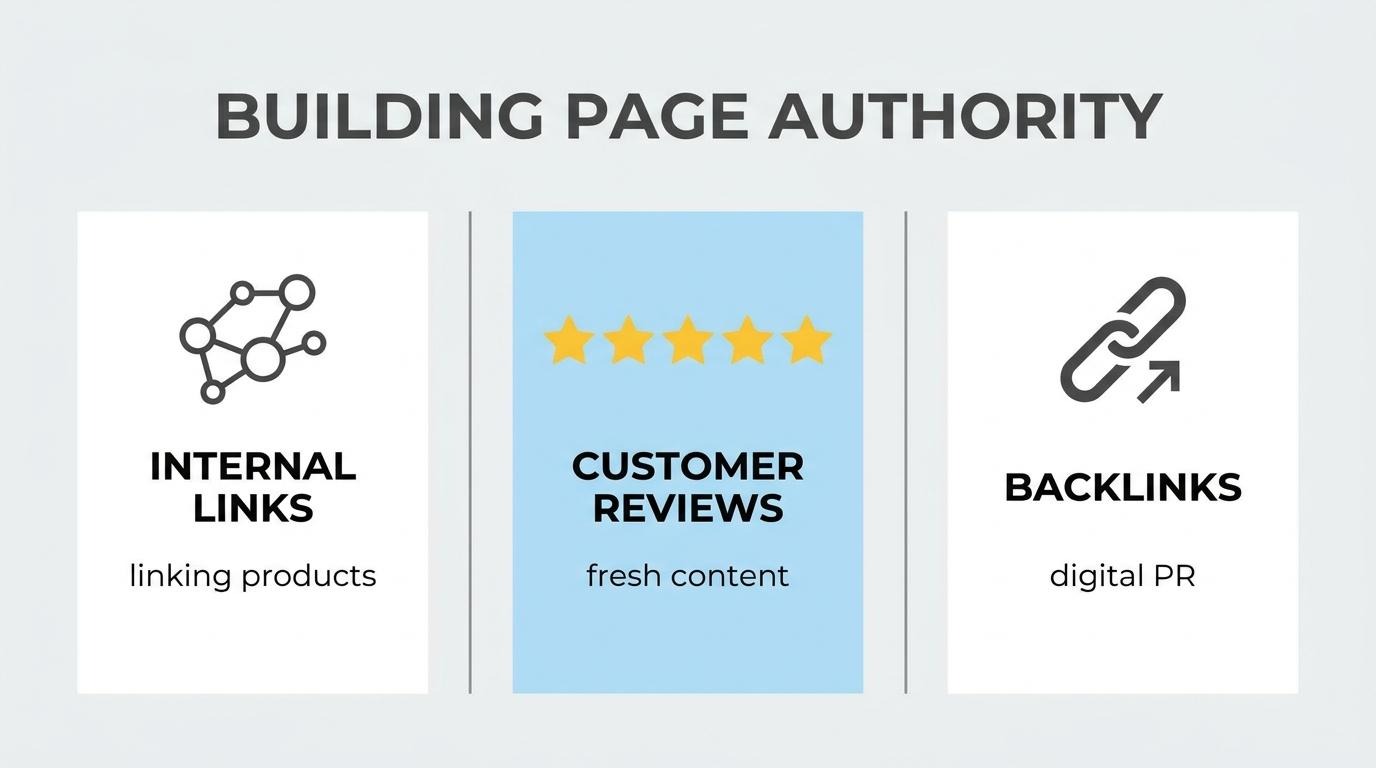
You build backlinks to individual product pages by earning external links through tactics like digital PR, resource-based outreach, and linkable product content. These strategies direct authority to specific URLs rather than just the homepage.
According to a 2024 Reboot Online analysis, 52% of ecommerce websites use digital PR to build backlinks. Product pages, however, remain among the hardest pages to earn links for because they are inherently commercial. The key is creating a reason for external sites to reference a specific product URL.
Effective tactics for building product page backlinks include:
Many backlink strategies default to linking the homepage or blog. For product pages specifically, the outreach angle must center on why that individual product deserves a mention. Generic domain authority helps, but page-level backlinks send a stronger relevance signal to Google for product-specific queries. Prioritizing even a handful of high-quality, editorially placed links to key product URLs often outperforms dozens of low-authority links scattered across the domain.
With off-page authority strategies in place, tracking performance reveals which optimizations drive real results.
You track and measure product page SEO performance by monitoring organic traffic, keyword rankings, click-through rates, and conversion metrics for each product URL. These data points reveal which pages need optimization and which already drive revenue.
Organic search drives 43% of all ecommerce traffic, according to Charle Agency. That makes product pages one of the highest-stakes areas to monitor. Yet performance gaps are common: Baymard Institute found that only 49% of ecommerce sites achieve "decent" or "good" UX performance on their product pages, while 51% fall into "mediocre" or worse territory.
The metrics worth tracking fall into three categories:
Google Search Console is the starting point for visibility data. Filter by individual product URLs to see which queries trigger impressions and clicks. Pages with high impressions but low CTR often signal weak title tags or meta descriptions. Pages with declining impressions may have indexing or cannibalization issues.
For revenue attribution, connect Google Analytics 4 to your ecommerce platform and segment by organic traffic source. This isolates which product pages convert from search versus paid or direct channels.
Run Lighthouse audits monthly to catch Core Web Vitals regressions before they affect rankings. A structured review cadence, whether weekly for rankings or monthly for technical health, turns reactive fixes into a consistent optimization loop.
For scaling brands managing hundreds of product pages, consolidating SEO data inside the commerce platform itself removes the need to reconcile reports across disconnected tools.
Product page SEO changes significantly when the commerce platform handles optimization natively. Built-in tools eliminate plugin dependencies, reduce page bloat, and keep SEO controls closer to the product data itself. Below, we cover how SHOPLINE helps manage the technical foundation of on-page SEO without extra apps and the key takeaways from this guide.
SHOPLINE helps manage on-page SEO by embedding core optimization controls directly into the product editing interface. Merchants edit page titles, meta descriptions, URLs, and SEO keywords from a single screen, with minimal to no third-party installations required.
This matters for performance. According to Reboot Online, the average ecommerce website achieves a Google Lighthouse score of just 67 out of 100 for site speed. Every additional app or plugin adds JavaScript, HTTP requests, and rendering overhead that drags that score lower. When SEO tooling lives inside the platform rather than on top of it, there are fewer layers between the server and the browser.
SHOPLINE provides built-in SEO foundations such as automatic canonical tag generation and basic structured data for products, while breadcrumb navigation is supported at the theme level and may include structured breadcrumb markup depending on implementation. For brands running at scale, consolidating these functions removes the version conflicts and maintenance burden that come with managing separate SEO plugins.
The key takeaways about ecommerce product page SEO center on a few high-impact principles:
No single optimization carries a page alone. The compounding effect of aligning keyword research, technical markup, content quality, and site performance is what separates product pages that rank from those that stall on page two. Prioritize the fundamentals covered throughout this guide, measure results through organic traffic and indexation metrics, and iterate based on data rather than assumptions.
.png)
.png)
.png)

