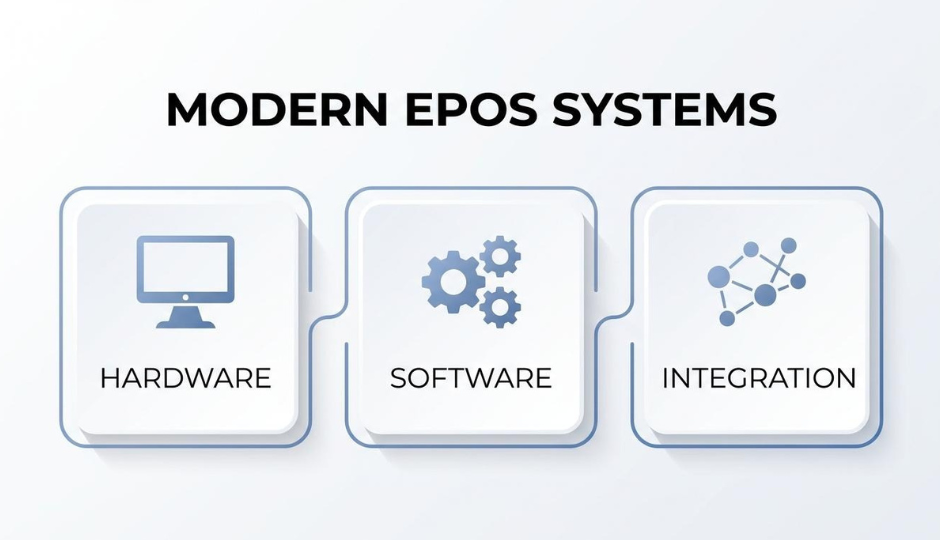
An EPOS (Electronic Point of Sale) system is a combination of hardware and software that processes transactions electronically and centralizes business operations, from inventory tracking to customer data management, in a single connected platform.
This guide covers how EPOS systems work and differ from traditional registers, the main system types available, essential features and true costs, industry-specific applications, and the selection criteria that separate scalable platforms from short-term fixes.
EPOS systems replace isolated cash registers and POS systems with cloud-connected or locally hosted terminals that sync transaction data, stock levels, and customer records in real time. APIs connect these systems to ecommerce platforms, accounting tools, and CRM software so data flows automatically between channels rather than sitting in disconnected silos.
Four primary architectures serve different operational needs: cloud-based systems can sometimes lower total cost of ownership and simplify multi-location access; on-premise setups offer faster local processing; mobile EPOS runs on tablets and smartphones for flexible selling; and hybrid systems combine local speed with cloud accessibility.
The features that matter most include real-time inventory syncing, flexible payment acceptance across chip, contactless, and mobile wallets, built-in CRM for customer profiling, and reporting dashboards that surface margin data alongside sales volume. Omnichannel capability remains a critical gap, with many retailers struggling to achieve true unified commerce despite years of investment.
Total costs extend well beyond the terminal price. Hardware ranges from $600 to $5,000 per unit, monthly software subscriptions can run $50 to $300 or more, and processing fees of 1.5% to 2.9% per transaction compound at volume. Hidden charges for training, data migration, and PCI compliance often surface after signing.
Retail, restaurants, and beauty brands each leverage EPOS differently, but the selection criteria remain consistent: prioritize integration depth, verify scalability for growing locations and SKU counts, and evaluate total cost of ownership rather than sticker price alone.
An EPOS system is a modern electronic update of the traditional point of sale, combining hardware and software to process transactions and manage business operations. The sections below cover how EPOS differs from legacy POS setups and what core components make up a complete system.
An EPOS system differs from a traditional POS in how it processes, stores, and centralizes business data. A traditional POS refers to the physical location where a customer completes a purchase, most commonly through a cash register and card machine. EPOS systems, by contrast, operate online and store information securely in the cloud, according to TISSL.
This architectural difference has practical cost implications. Cloud-based POS platforms can offer better total cost of ownership compared to traditional on-premise systems, largely because they reduce hardware and ongoing maintenance burdens, though it depends heavily on scale, infrastructure, and usage patterns. Where a legacy register handles transactions in isolation, a cloud-native EPOS leverages microservices architecture, APIs, and containerization to provide centralized access across multiple locations.
For scaling retail or food and beverage brands, the shift from a fixed register to a connected EPOS is less about upgrading a terminal and more about unifying operations into a more centralized layer.
The core components of an EPOS system include both hardware and software elements that work together to process sales and manage business data. According to Pay Now Direct, modern POS systems combine hardware, software, and integrations to support both in-store and online operations, with the POS terminal (such as a tablet or register device) running the software locally while often syncing data with cloud-based systems. In practice, these systems are often referred to as EPOS, although the distinction between POS and EPOS is no longer strictly defined in modern retail environments.
Key hardware components include:
On the software side, an EPOS system typically bundles inventory tracking, sales reporting, customer data management, and payment processing into one application. The integration layer, often built on APIs, connects these functions to accounting tools, ecommerce platforms, and marketing systems.
Understanding these components sets the foundation for evaluating how an EPOS system processes a transaction from start to finish.
An EPOS system works by processing transactions electronically, then instantly distributing that data to inventory, reporting, and customer management modules. The sections below explain what happens during a sale and how data syncs across channels.
During a transaction at the point of sale, the EPOS system scans or enters each item, calculates totals including tax and discounts, processes the customer's payment, updates inventory counts, and records the sale in a central database. Each step happens in seconds across interconnected software modules.
The sequence typically follows this order:
According to Grand View Research, the global point-of-sale software market was valued at $17.13 billion in 2025 and is projected to reach $38.82 billion by 2033 at a CAGR of 10.8%. That growth reflects how central these systems have become to daily retail and hospitality operations. Unified commerce platforms take this further by connecting point-of-sale, e-commerce, inventory, and order management into a single real-time platform.
How Does an EPOS System Sync Data Across Channels?
An EPOS system syncs data across channels by using APIs that connect the point-of-sale software with other business applications. These APIs act as translators, ensuring transaction data flows automatically between systems without manual entry.
When a sale occurs in-store, the API pushes updated stock levels, customer purchase history, and revenue figures to the e-commerce platform, CRM, and accounting tools simultaneously. On-premise POS systems typically process transactions faster since they do not rely on internet connectivity for data transfer between the terminal and local server. Cloud-based systems, however, offer the advantage of real-time access from any location.
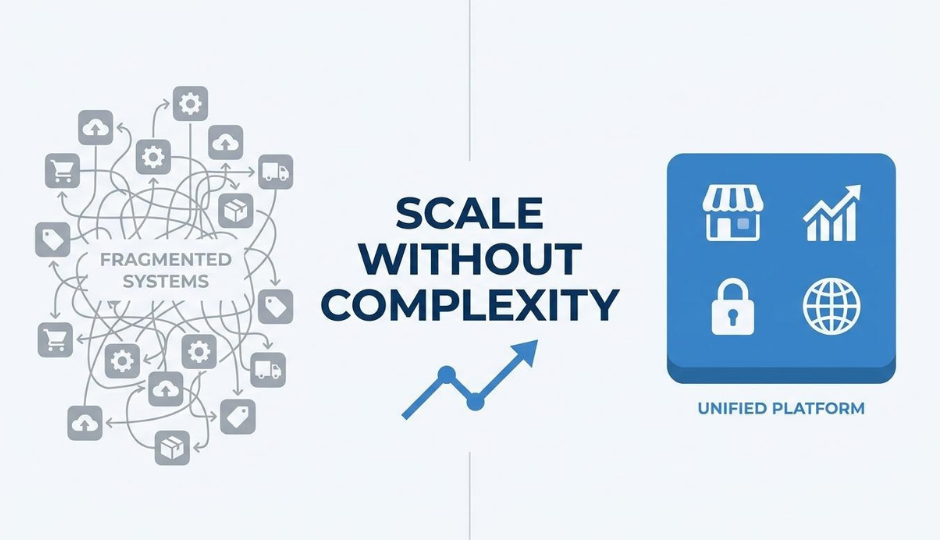
Without this synchronization, data silos can form between POS, loyalty, and e-commerce systems. Silos like this can cost retailers a significant amount in annual revenue leakage due to missed personalization and inconsistent pricing. For scaling brands running both physical and online stores, treating API-driven sync as a core requirement rather than a nice-to-have is one of the highest-leverage decisions during platform selection.
With the transaction and sync mechanics clear, the next step is understanding the different system types available.
The main types of EPOS systems are cloud-based, on-premise, mobile, and hybrid. Each architecture suits different operational needs, budgets, and growth plans.
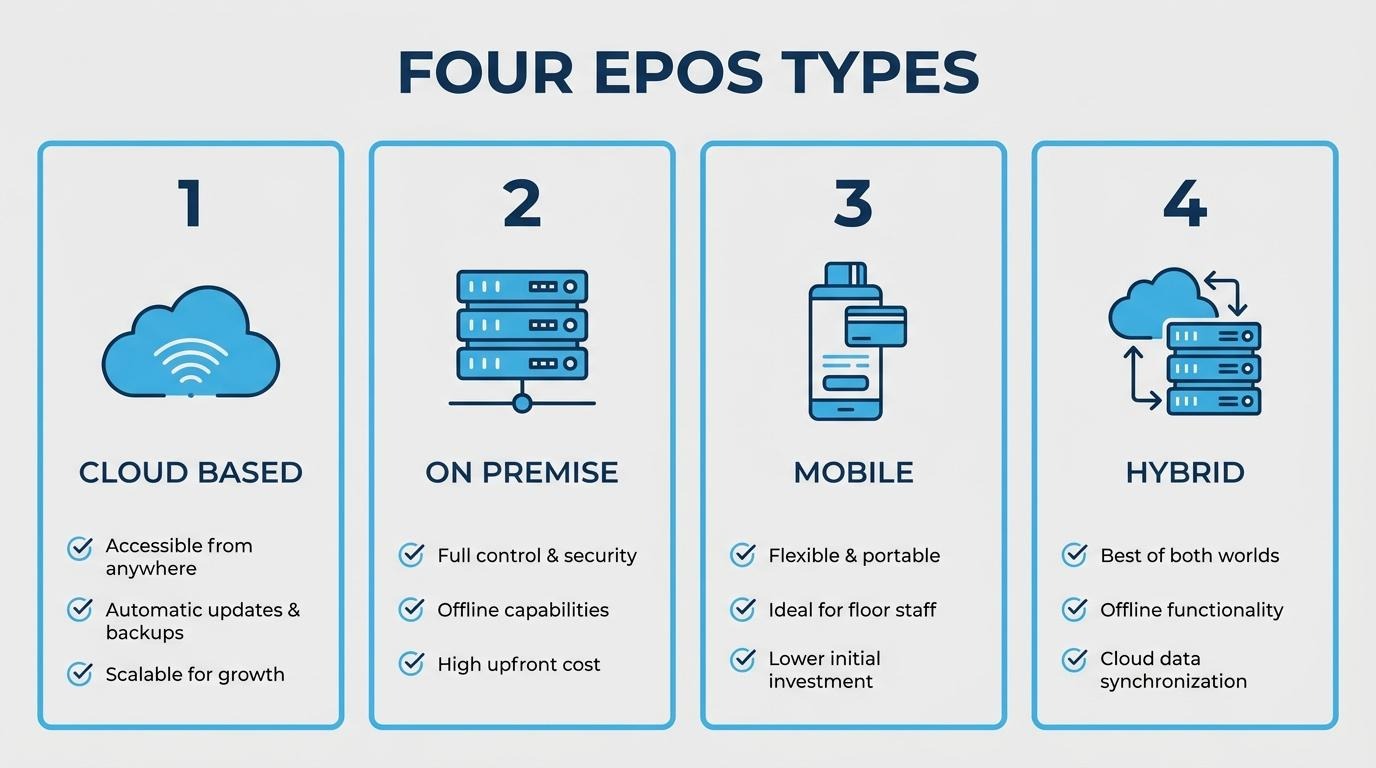
Cloud-based EPOS systems store all transaction data, inventory records, and customer information on remote servers accessed through the internet. This architecture uses microservices, APIs, and containerization to provide centralized access across multiple locations from any connected device.
Because hardware requirements are minimal, upfront costs stay low. Software updates deploy automatically, and businesses can add new registers or locations without installing local servers. The trade-off is internet dependency; if connectivity drops, transaction processing can stall unless the system includes an offline mode.
Though today “EPOS” is often marketed to mean cloud-based, integrated, and omnichannel-ready, EPOS systems can be deployed on-premise. On-premise EPOS systems run on local servers installed at the business location, where all transaction data processes and stores on-site rather than in a remote data center.
This architecture delivers faster transaction processing since data does not travel over the internet between the terminal and server. Businesses handling high transaction volumes, such as large-format retailers or fuel stations, often prefer on-premise setups for that speed and reliability. Data control is another draw; sensitive customer and financial records remain within the physical premises.
The downsides include higher upfront hardware costs, manual software updates, and limited remote access. Scaling to new locations requires duplicating the entire server infrastructure, which adds complexity and expense.
Mobile EPOS systems run on smartphones or tablets equipped with card readers and POS software. Staff can process payments, check inventory, and capture customer data anywhere on the shop floor, at pop-up events, or during deliveries.
Many SMEs globally now use mobile POS solutions as retailers seek flexibility beyond fixed terminals. Compact hardware and subscription-based pricing make mobile EPOS one of the most accessible entry points for small businesses and seasonal sellers.
Limitations include smaller screens, shorter battery life, and reliance on Wi-Fi or cellular connectivity. For high-volume environments, mobile setups typically supplement fixed terminals rather than replace them entirely.
Hybrid EPOS systems combine cloud-based and on-premise architectures into a single setup. Transaction data processes locally for speed and reliability, then syncs to the cloud for remote access, multi-location management, and automatic backups.
This model eliminates the biggest weakness of each standalone type. If internet connectivity drops, the local server keeps processing sales. When connectivity returns, data syncs automatically to the cloud. Businesses operating across physical stores and online channels benefit most from this dual architecture.
For brands managing both in-store and ecommerce operations, a hybrid approach reduces the risk of data silos that fragment customer records and inventory counts. Understanding which architecture fits your operation is the first step; the next consideration is which specific features that system should include.
The features you should look for in an EPOS system include inventory management, flexible payment processing, CRM tools, reporting and analytics, and omnichannel selling capabilities. Each feature area addresses a different operational need.
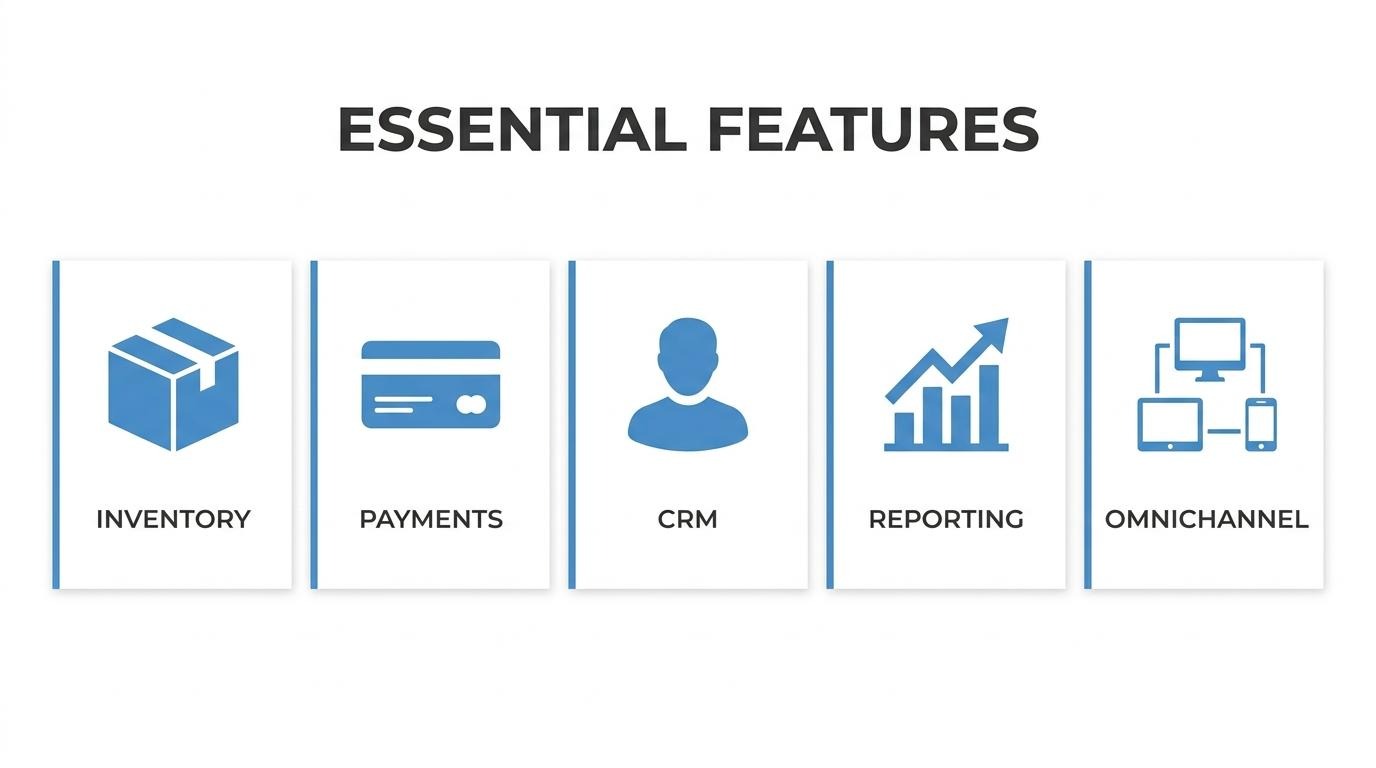
The inventory management capabilities that matter most are real-time stock tracking, automated reorder alerts, and multi-location visibility. Real-time tracking ensures accurate counts the moment a sale occurs, preventing overselling across channels. Automated low-stock alerts can trigger replenishment before shelves go empty, reducing lost revenue from stockouts. Multi-location inventory syncing can allow businesses to view and transfer stock between stores or warehouses from a single dashboard.
Barcode and SKU scanning should integrate directly with the EPOS terminal so staff can receive shipments, conduct audits, and adjust quantities without switching systems. For any brand managing more than a handful of products, inventory accuracy at the point of sale is non-negotiable.
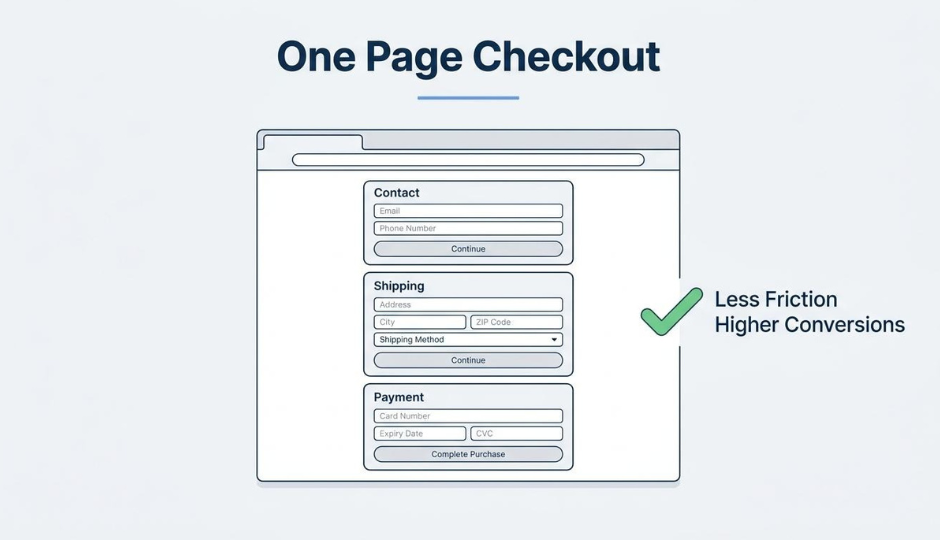
An EPOS system should support chip cards, contactless tap-to-pay, mobile wallets, and traditional swipe transactions. Accepting all major payment methods reduces friction at checkout and accommodates shifting consumer preferences toward digital wallets.
Processing fee structures vary by provider. When evaluating options, compare both hardware cost and per-transaction fees, since even small differences compound at volume. The EPOS should also support split payments, tips, and refunds natively so staff can handle common scenarios without workarounds.
CRM and customer data features are critical for any business focused on repeat purchases and personalized service. An EPOS system with built-in CRM captures purchase history, contact details, and preferences at the point of sale, creating a customer profile that grows with every transaction.
This data can enable targeted promotions, loyalty rewards, and segmented outreach based on actual buying behavior rather than guesswork. Without CRM integration, customer insights stay trapped in disconnected spreadsheets or siloed tools, making personalization nearly impossible. For scaling brands, the ability to tie in-store and online customer records to a single profile is where real operational leverage begins.
The reporting and analytics tools included in an EPOS system should cover sales performance, inventory turnover, staff productivity, and customer behavior. At minimum, the system should provide:
Dashboards that update in real time give operators the ability to make decisions during business hours rather than after the fact. Look for export options and API access if your team relies on external BI tools for deeper analysis.
An EPOS system should support omnichannel selling by connecting in-store transactions with online orders, inventory, and customer data through a single platform. Modern POS systems like an EPOS combine hardware, software, and integrations to manage both physical and digital storefronts from one terminal.
However, achieving true unified commerce is a goal that many companies need to constantly strive toward. This gap makes omnichannel capability one of the most important evaluation criteria when choosing an EPOS. A system that merely syncs data between separate tools is not the same as one built on a shared data layer.
Understanding which features matter most helps narrow the field, but total cost determines whether a system fits your budget.
The benefits of using an EPOS system include faster transactions, real-time inventory tracking, unified customer data, and stronger sales analytics. The following subsections cover operational efficiency, inventory accuracy, customer experience, and revenue impact.
POS and EPOS systems improve operational efficiency by handling transaction processing, sales recording, and reporting tasks that manual registers typically cannot handle. EPOS systems also improve operational efficiency by centralizing data and reporting. Staff spend less time on data entry and reconciliation, which frees capacity for customer-facing work. According to a 2024 report by Pay Compass, businesses integrating modern POS systems can achieve a 566% ROI in the first year through efficiency gains, labor cost reductions, and inventory optimization. For scaling retailers managing multiple locations, this operational lift compounds quickly; consolidated dashboards replace fragmented spreadsheets, and automated end-of-day reports eliminate hours of manual closing procedures.
Yes, an EPOS system can reduce inventory errors by syncing stock counts in real time across every sales channel. Each transaction automatically adjusts inventory levels, removing the lag and miscounts common with manual stocktakes. Retailers using real-time tracking through integrated, omnichannel POS systems can gain strategic inventory management insights to prevent saw stockouts and increase customer satisfaction due to improved inventory visibility. Automated low-stock alerts and purchase order triggers further minimize human error. For brands selling both online and in-store, this real-time accuracy prevents overselling and ensures customers see reliable availability regardless of channel.
An EPOS system enhances customer experience by enabling more streamlined checkouts, flexible payment acceptance, and personalized interactions based on purchase history. Stored customer profiles synced across POS systems, ecommerce platforms, and CRM databases can allow staff to reference past orders, recommend relevant products, and apply loyalty rewards. According to industry research cited by Harvard Business Review via LivePerson, personalized shopping experiences facilitated by unified data can increase average basket size by up to 40%. Contactless and mobile payment support also reduces friction at checkout. When customer data flows from POS to CRM within the same system, brands build richer profiles that drive repeat purchases rather than one-time transactions.
An EPOS system can provide sales insights including revenue trends by product, time period, location, and staff performance. Built-in analytics can help identify top-selling items, peak traffic hours, and underperforming categories without exporting data to separate tools. These reports support smarter purchasing decisions, staffing schedules, and promotional planning. Real-time dashboards surface margin data alongside volume, so operators see profitability rather than just revenue. For multi-location brands, comparative location reporting highlights which stores need attention and which strategies to replicate. The ability to act on live data, rather than waiting for weekly or monthly reports, gives operators a measurable decision-speed advantage over competitors still relying on manual analysis.
With these operational and revenue benefits established, the next consideration is how much an EPOS system costs.
An EPOS system costs anywhere from a few hundred dollars for basic hardware to $15,000 or more for a full multi-terminal setup. Total spending depends on hardware, software subscriptions, processing fees, and often-overlooked extras like installation and training.
Typical EPOS hardware costs range from approximately $300 to $2,000 per terminal, while more advanced or multi-device setups can reach $5,000 or more depending on configuration and business requirements.
Beyond the terminal itself, a complete setup often includes:
Additional expenses often surface during deployment. Site visits and installation can add $100 to $300, while data migration runs $150 to $500 for businesses moving from legacy systems. These upfront costs make budgeting for the full hardware picture, not just the terminal, essential before committing to a vendor.
Monthly software subscription fees for EPOS systems typically range from $50 to $300 or more, depending on the feature set and number of registers. Basic plans covering core checkout and inventory start at the lower end, while advanced tiers with multi-location management, analytics, and CRM functionality often range from $200 to $400+ per month.
Most cloud-based providers use tiered pricing. The lowest tier handles single-location needs; mid-range tiers add reporting, staff permissions, and integrations; premium tiers might unlock API access, advanced loyalty features, and priority support. Annual billing often reduces the effective monthly rate by 10% to 20% for many subscriptions. For scaling brands running multiple locations, subscription costs compound quickly, making it worth evaluating what each tier actually includes before upgrading.
Transaction and payment processing fees typically range from around 1.5% to 2.9% per transaction, plus occasionally a flat per-swipe charge, which can range from around $0.10 to $0.30. Rates vary by provider, card type, and transaction method.
Key factors that influence processing costs include:
According to UK Finance data, contactless payments accounted for 66% of all credit card and 75% of all debit card transactions in the UK. As contactless adoption accelerates in the US as well, choosing an EPOS system with tap-to-pay processing improves accessibility for customers.
Hidden costs in EPOS pricing include charges that rarely appear on the initial quote but accumulate over the contract term:
Asking for a full total cost of ownership breakdown before signing prevents surprises. The sticker price on hardware and the monthly subscription rarely tell the complete story, and vendors who are transparent about every line item tend to be the ones worth trusting long-term.
Understanding these cost layers helps you evaluate whether a unified platform approach reduces total spend compared to assembling separate tools.
The industries that benefit from EPOS systems can include retail, hospitality (restaurants, cafes, bars, hotels), and beauty and lifestyle brands. According to a 2024 NFC Forum study, daily contactless usage has soared to 57%, reflecting accelerating migration from physical to digital wallets across sectors such as these. This trend has accelerated the adoption of modern EPOS systems that support NFC-enabled terminals, enable faster checkout experiences, and unify in-store and online payment data in real time.
Retail stores use EPOS systems to manage inventory in real time, process multiple payment types, and unify in-store data with online channels. Key EPOS functions for retail include:
For retailers operating both online and in-store, the ability to resolve inventory and customer data into one system is what separates a functional EPOS from a truly valuable one.
Restaurants and food businesses use EPOS systems primarily to streamline order taking and payment processing, though when part of a more advanced system, such as restaurant management platforms, integrated inventory and supplier systems, and multi-location chains, EPOS systems may help with enabling inventory tracking, cost control, and operational efficiency improvements. According to Pay Compass, businesses integrating modern POS systems can achieve a 566% ROI in the first year through labor cost reductions, increased sales, and inventory savings.
Core EPOS capabilities for some food businesses include:
Speed and accuracy matter more in food service than almost any other vertical, making EPOS integration with kitchen operations useful for increased accuracy and operational efficiency.
Beauty and lifestyle brands use EPOS systems to manage appointment scheduling, track product inventory alongside service bookings, and build detailed client profiles. These businesses rely on repeat visits, so the ability to link purchase history with service preferences in one record directly supports retention.
Common EPOS applications for beauty and lifestyle include:
With customer relationships driving most revenue in this vertical, choosing an EPOS that unifies client data across channels becomes a competitive advantage rather than a convenience.
You should consider integration capabilities, scalability, ease of training, and provider support quality. The following subsections break down each factor.
The system should be able to integrate with your existing ecommerce stack to avoid data silos and manual workarounds. API capabilities allow the EPOS to connect with your ecommerce platform, accounting software, inventory tools, and CRM. According to a 2024 Hospitality Technology POS study, approximately 85% of restaurant operators prioritize system integration capabilities when selecting new POS software. This is also a common priority across industries as well; any business running multiple sales channels needs transaction data, stock levels, and customer records flowing automatically between systems. Before committing, verify that the provider offers pre-built connectors or open APIs for the tools you already rely on. A system that cannot plug into your current stack will create more problems than it solves.
An EPOS system can scale as your business grows if it supports multi-location management, additional terminals, and expanding product catalogs without requiring a full platform migration. Cloud-based EPOS systems handle scaling more smoothly because adding new registers or store locations typically involves provisioning software licenses rather than installing local servers. Look for tiered subscription plans that let you unlock features incrementally. The ability to add staff accounts, integrate new sales channels, and handle higher transaction volumes without performance degradation separates a scalable system from one you will outgrow. Choosing a platform that accommodates your 12-to-24-month growth plan prevents costly re-implementation later.
It is easy to train staff on the system when the interface uses intuitive navigation, visual product grids, and minimal steps per transaction. High employee turnover in retail and hospitality means onboarding speed can affect operational efficiency. Systems with drag-and-drop menus, role-based dashboards, and built-in tutorials reduce training time from days to hours. Request a demo or trial period before purchasing so frontline employees can test the workflow firsthand. A system that looks powerful on a feature sheet but confuses cashiers during a Friday rush will slow checkout lines and increase errors.
The level of customer support the provider offers should include 24/7 availability, multiple contact channels, and dedicated onboarding assistance. Downtime during peak hours costs revenue, so response time matters as much as support quality. Evaluate whether the provider offers live chat, phone, and email support, or limits you to a ticket queue. Dedicated account managers become valuable once you operate multiple locations or run complex integrations. Check independent reviews for real-world response times rather than relying on the provider's marketing claims alone.
Understanding what to prioritize during selection helps you avoid the most common purchasing mistakes.
Common mistakes when selecting an EPOS include ignoring integration needs, overlooking hidden costs, and choosing systems that create data silos between sales channels.
One of the most costly errors is selecting a POS that operates independently from your e-commerce platform, loyalty program, or inventory system–many modern EPOS systems integrate these functions natively, enabling unified data flow across sales channels, customer profiles, and inventory management. Data silos between POS, loyalty, and e-commerce systems can cost retailers a significant amount in annual revenue leakage, with inconsistent pricing and opportunities missed such as personalization.
Another frequent mistake is assuming omnichannel capability equals unified commerce. Unified commerce platforms connect point-of-sale, e-commerce, inventory, and order management into a single real-time platform, while omnichannel setups merely link separate systems. Additional mistakes to avoid include:
For growing brands, the most underestimated mistake is treating the EPOS decision as a hardware purchase rather than a platform decision. The system you choose determines whether your in-store and online customer data can ever exist in one place. Understanding what happens when that data stays separated reveals the real cost of getting this decision wrong.
Separated EPOS data creates blind spots in inventory, customer profiles, and pricing consistency. Below, we cover how SHOPLINE addresses this with a unified approach and the key takeaways for choosing the right EPOS system.
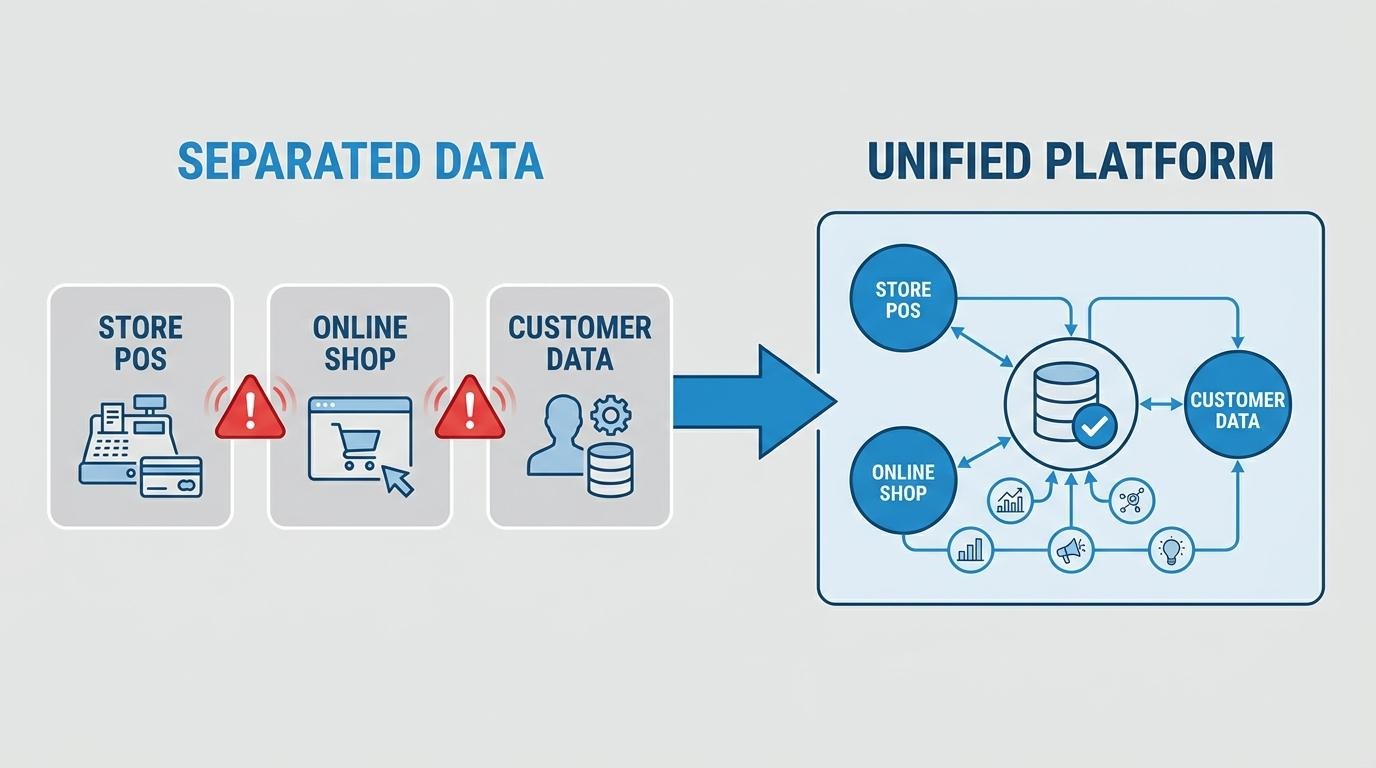
SHOPLINE unifies POS and ecommerce by running both inside a single platform allowing for a unified data layer. Merchandise, inventory, marketing, and customer records can sync between online and physical stores without extensive separate tech stacks.
This matters because data silos between POS, loyalty, and ecommerce systems cost retailers in annual revenue leakage. In integrated setups, platforms like SHOPLINE can unify customer profiles across channels and associate transactions with a single customer record. When configured, inventory can also sync across sales channels, helping improve stock visibility and reduce discrepancies in availability and pricing.
For scaling DTC brands running $1M or more in revenue, consolidating POS and ecommerce into one system eliminates a common failure point: the hassle and manual errors that reconciling separate data sources introduces.
The key takeaways about EPOS systems center on matching system architecture, features, and integration depth to your operational reality. The most important decisions involve:
The right EPOS system should feel like infrastructure you grow into, not something you outgrow within a year. Understanding the full scope of your EPOS needs makes evaluating integration platforms like SHOPLINE far more straightforward.