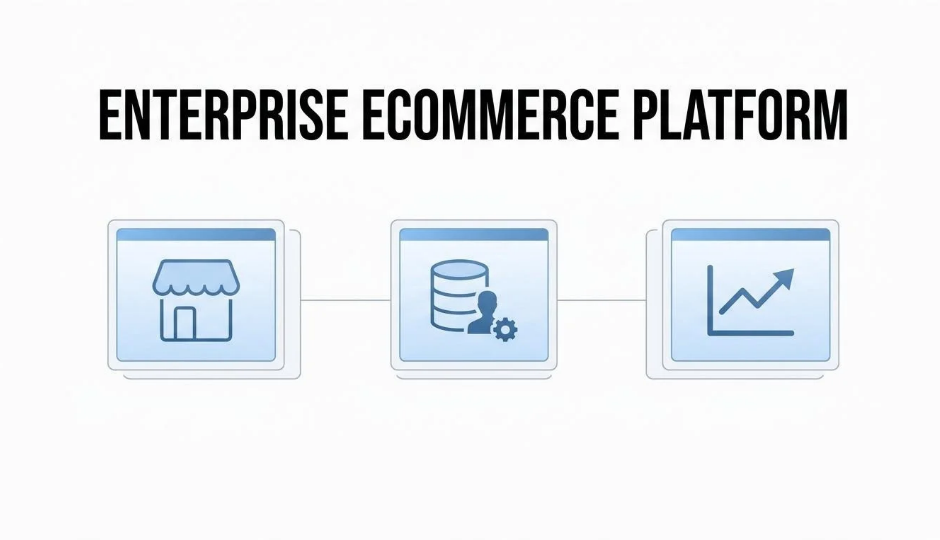
A customizable enterprise ecommerce platform is a commerce system built to handle high-volume transactions, complex product catalogs, and multi-channel operations while giving teams the architectural flexibility to modify workflows, integrations, and frontend experiences as the business evolves.
This guide covers customization depth and architecture, core feature evaluation, scalability and total cost of ownership, security and compliance, migration planning, and unified customer data strategy.
Customization at the enterprise level extends well beyond visual theming. The difference between theme adjustments and core architecture access determines whether teams can restructure checkout flows, pricing logic, and fulfillment routing. API extensibility through REST and GraphQL defines how many systems the platform can connect to over time, while headless commerce decouples the frontend for brands that need full presentation control.
Feature evaluation spans multi-channel selling, built-in CRM, native subscriptions, marketing automation, POS integration, catalog management, and checkout flexibility. Each capability either lives inside the platform or requires a bolt-on app; that distinction drives both data accuracy and long-term maintenance cost.
Scalability assessment requires verifying elastic cloud infrastructure, volume-based pricing trajectories, and enforceable SLA guarantees before peak seasons test the platform under real load. Total cost of ownership includes transaction fees, app subscriptions, and the recurring developer hours needed to keep fragmented integrations running.
Security and compliance readiness covers PCI DSS certification, GDPR and CCPA data portability, and organizational measures that protect payment and customer data across regions. Migration complexity depends on catalog structure, workflow dependencies, and whether the vendor supports phased cutover to minimize revenue loss.
Unified customer data ties every evaluation dimension together. A shared record across online, offline, and social channels powers accurate lifetime value prediction, precise segmentation, and retention strategies that work from complete buyer profiles rather than partial snapshots.
An enterprise-grade ecommerce platform is a commerce system built to handle the operational scale, data complexity, and multi-channel demands of high-revenue businesses. The distinction rests on several core capabilities: infrastructure scalability, native multi-channel selling, unified customer data, API extensibility, regulatory compliance, and vendor-backed SLAs.
Unlike platforms designed for first-time store builders, enterprise-grade systems assume the operator already manages significant order volume, complex product catalogs, and cross-functional teams. According to the European Commission, enterprise size classifications use staff headcount and turnover as the determining factors; businesses exceeding 250 employees and €50 million in turnover fall above the SME ceiling, placing them squarely in enterprise territory.
At this scale, the platform must support capabilities that smaller systems treat as optional:
The gap between a mid-market platform and an enterprise-grade one often becomes visible only under stress. When catalog size crosses into hundreds of thousands of SKUs, when marketing automation needs to trigger across lifecycle stages, or when subscription and membership logic must run natively alongside one-time purchases, a platform either handles these natively or forces the business into a fragmented app stack.
For brands operating at $1M to $50M+ in annual revenue, the "enterprise-grade" label is less about a feature checklist and more about whether the system can scale operations without proportionally scaling tool count, vendor dependencies, or technical debt. The sections that follow break down each evaluation dimension in detail, from customizability and scalability to total cost of ownership and migration complexity.
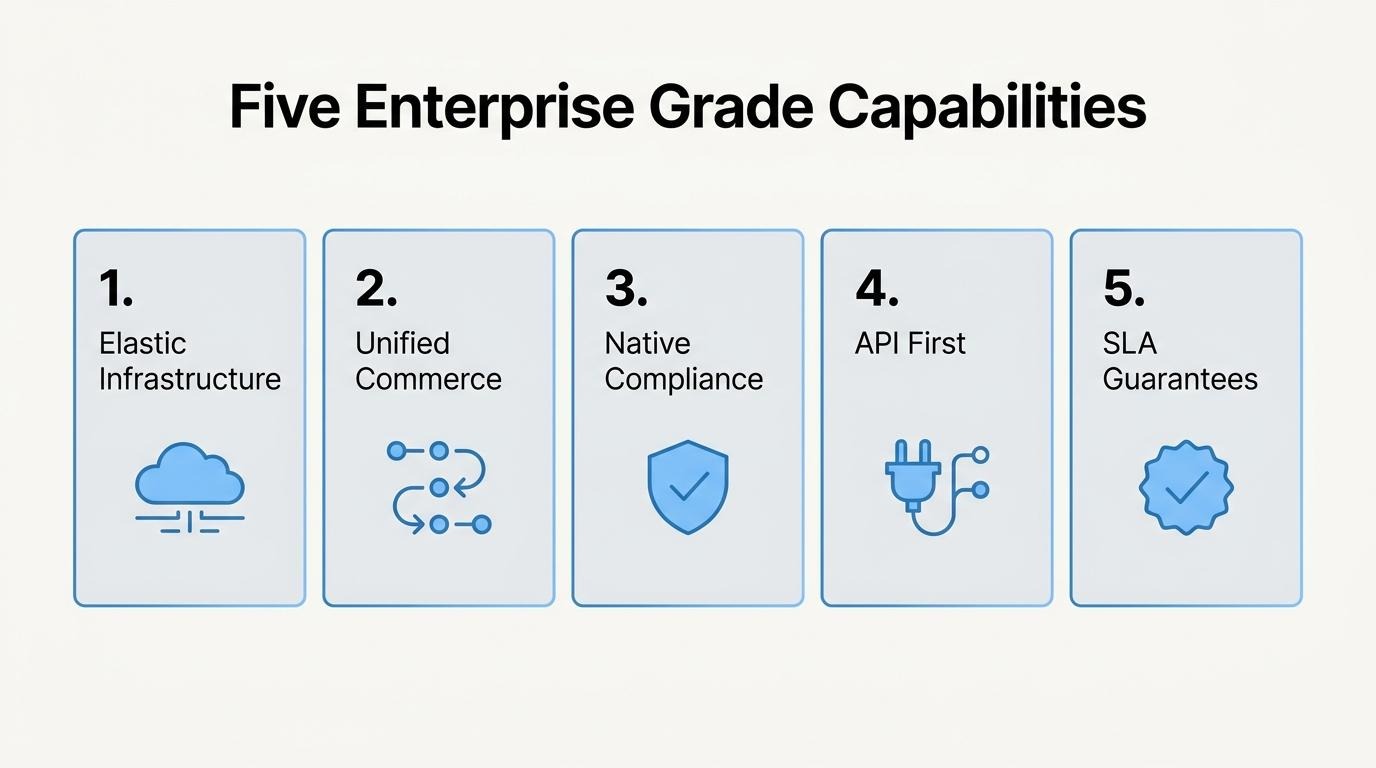
Customizability matters at the enterprise level because large-scale operations require platform changes that go far beyond visual adjustments. The following subsections break down theme versus architecture customization, API extensibility, and headless commerce.
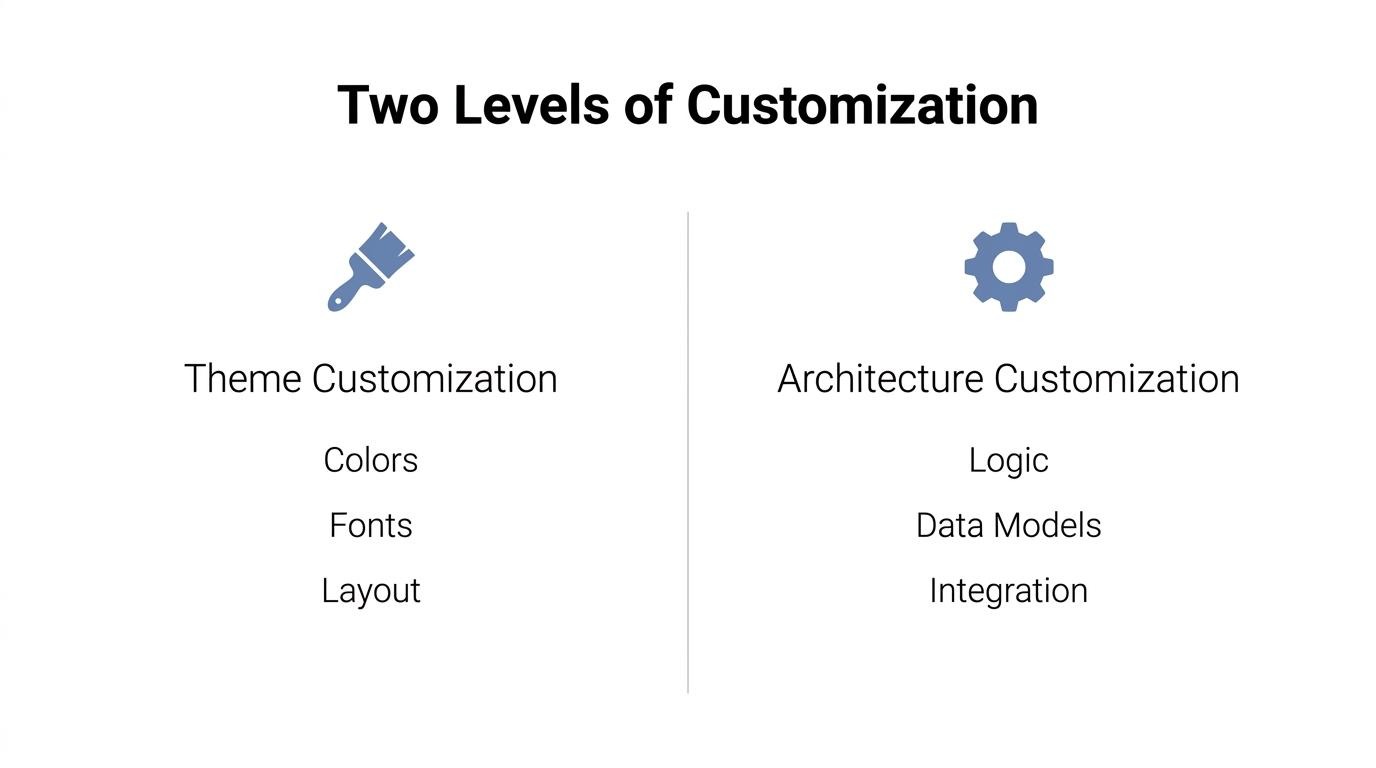
The difference between theme customization and core architecture customization is scope. Theme customization controls the visual presentation layer: layouts, colors, typography, and component positioning. Core architecture customization modifies the underlying data models, business logic, checkout flows, and integration infrastructure that determine how the platform operates.
For enterprises managing complex catalogs, multi-region tax rules, and custom fulfillment workflows, theme-level changes alone cannot address operational requirements. Architecture-level access lets teams restructure how orders process, how pricing engines calculate, and how customer data routes between systems. A European Commission study on cloud services provider switching found that costs ranged from approximately €18,800 for simple cases to €231,400 for highly complex cases, excluding downtime; this illustrates why architectural lock-in, once embedded, becomes expensive to reverse.
Choosing a platform with deep architecture customization from the start prevents costly rearchitecting later.
API extensibility affects long-term flexibility by determining which systems, data, and workflows a platform can connect to as business needs evolve. Platforms with comprehensive REST and GraphQL APIs allow development teams to build custom integrations, extend core functionality, and swap individual services without replacing the entire stack.
According to Roy T. Fielding's foundational REST dissertation at the University of California, Irvine, REST communication must be stateless, with each client request containing all information necessary for the server to understand it. GraphQL complements this by letting clients request only the specific data they need in a single call, reducing over-fetching across complex storefronts.
Robust API coverage across products, orders, customers, inventory, and marketing means teams can iterate on custom experiences without waiting on vendor roadmaps. For growing brands, this is often the difference between a platform that adapts to operational complexity and one that constrains it.
Headless commerce makes sense for customization when a brand needs full control over its frontend experience while keeping commerce logic, inventory, and order management on a stable backend. Decoupling the presentation layer from the commerce engine lets teams build unique storefronts using any framework, serve content across multiple touchpoints, and iterate on UX independently of backend releases.
The MACH Alliance's 2025 global survey of 561 IT decision-makers at companies with at least 5,000 employees and $500 million in annual turnover reported that 87% of organizations had widely implemented MACH technologies, which include headless architecture as a core component.
However, headless is not the right fit for every enterprise. It demands dedicated frontend engineering resources and introduces complexity in managing separate deployment pipelines. Brands without the internal team to maintain a decoupled frontend often achieve better results with a customizable monolithic platform that offers flexible theming and deep API access. The decision hinges on whether the business truly needs bespoke presentation logic or whether strong native customization tools can deliver the same outcome with less overhead.
With customization depth defined, the next step is evaluating which specific platform features support enterprise operations.
The features you should evaluate in an enterprise ecommerce platform span multi-channel selling, CRM, subscriptions, marketing automation, POS integration, catalog management, and checkout customization. Each capability determines how well the platform supports revenue growth without bolt-on complexity.
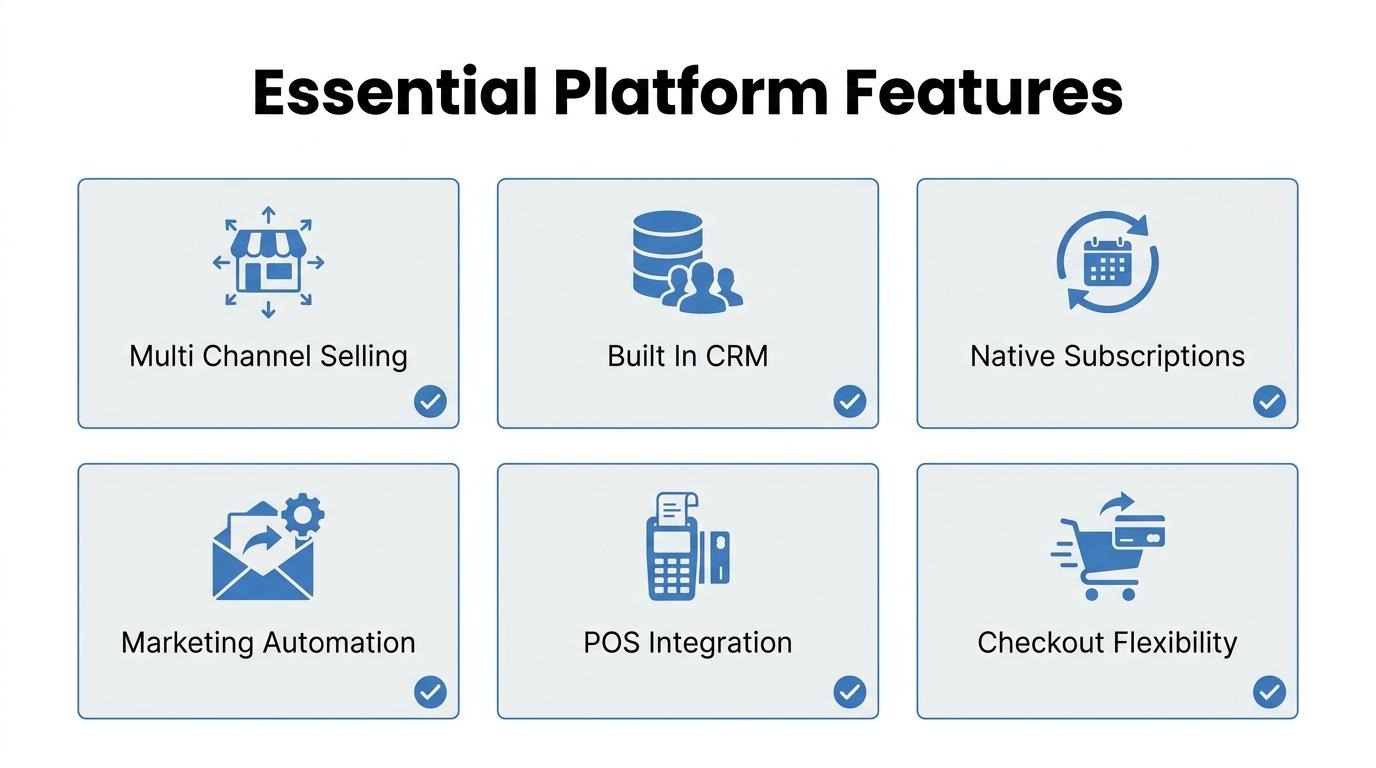
Native multi-channel selling support is critical for enterprise brands operating across web, social, and marketplace storefronts. A platform that manages listings, inventory, and orders from one backend eliminates the sync errors and manual reconciliation that come with stitching together separate channel tools.
According to the United Nations Trade and Development (UNCTAD), nearly $27 trillion in e-commerce sales were generated across 43 economies in 2022, representing a continued rise from pre-pandemic levels. That volume increasingly flows through multiple channels simultaneously. When multi-channel selling is native rather than added through third-party connectors, inventory updates propagate in real time and order data stays consistent. For brands selling at scale, this is not a convenience feature; it is operational infrastructure.
The CRM and customer data capabilities built into an enterprise platform should include unified customer profiles, purchase history tracking, segmentation, and lifecycle tagging, all connected to the storefront in real time.
According to the National Institute of Standards and Technology (NIST), information silos across enterprise processes are slowly being connected to form a "digital thread," yet gaps in information flows still prevent enterprise-wide utilization. This describes precisely what happens when CRM data lives in a separate tool from the commerce engine: customer segments fall out of sync, purchase signals arrive late, and marketing teams work from incomplete profiles. A built-in CRM resolves the customer record at the point of transaction, which makes segmentation and lifetime value calculations far more reliable without requiring a separate data pipeline.
The platform should handle subscriptions and recurring revenue as a native, first-party feature, not as an external app bolted onto the checkout flow. Native subscription management means the platform controls billing cycles, dunning logic, and product swap flexibility within the same system that processes one-time orders.
According to Harvard Business School Working Knowledge, subscription models deliver more stable and predictable revenue streams, improved inventory management, and "stickier" customer loyalty due to consumers' reluctance to change vendors. Those benefits erode quickly when subscription data sits in a third-party tool disconnected from the core order and customer systems. Billing failures become harder to diagnose, churn signals get delayed, and inventory forecasting loses the recurring-order signal it needs to plan accurately.
The marketing automation tools that should live inside the platform include email and SMS lifecycle workflows, abandoned cart recovery, segmentation based on purchase behavior, and campaign performance analytics tied directly to revenue.
When automation runs inside the commerce system, triggers fire from real-time transaction data rather than synced snapshots. A customer who completes a purchase at 2 PM can be excluded from a promotional email by 2:01 PM, without waiting for a nightly data sync between platforms. According to a study published in the Association for Computing Machinery's RecSys '23, accurate customer lifetime value prediction guides personalized service providers to optimize marketing, sales, and service strategies for maximum retention and profitability. That accuracy depends on automation tools reading from the same data layer that records transactions, not a replica with inherent lag.
The non-negotiable POS and offline integration features are shared inventory across online and in-store channels, unified customer identification at checkout, and consolidated sales reporting that does not require manual reconciliation.
According to the European Central Bank's 2024 study on payment behavior, 75% of day-to-day consumer payments were made at the point of sale. Brands with physical retail cannot afford to treat POS as a separate system. When the POS feeds into the same customer record and inventory pool as the online store, staff see purchase history in real time, loyalty points accrue across channels, and stock counts stay accurate. A disconnected POS creates blind spots that compound as transaction volume grows.
The platform should manage catalog complexity and product variants through flexible data models that support unlimited attributes, variant combinations, and category hierarchies without performance degradation.
According to a study published by the Association for Computational Linguistics, large-scale e-commerce platforms host catalogs with millions of items continuously updated by thousands of merchants. Enterprise catalogs with hundreds of SKUs per product line, each carrying size, color, material, and regional pricing variations, need structured variant architecture. The platform should allow bulk edits, rule-based pricing across variants, and filtered views for merchandising teams. Catalog rigidity is one of the most common reasons brands outgrow their initial platform.
The checkout customization options you should expect include editable field layouts, support for multiple payment methods, localized currency and tax display, and the ability to embed trust signals, upsells, or subscription opt-ins directly within the checkout flow.
According to the Consumer Financial Protection Bureau, 21.2% of consumers with a credit record financed at least one purchase with a buy-now-pay-later loan in 2022, up from 17.6% in 2021. Checkout must accommodate BNPL alongside credit cards, digital wallets, and regional payment options without requiring custom development for each method. The ability to test and iterate on checkout layout, field order, and payment presentation directly impacts conversion. Rigid, template-locked checkouts leave revenue on the table at the highest-intent stage of the funnel.
With core platform features mapped, the next step is stress-testing how well each option scales.
You assess platform scalability by stress-testing traffic handling, examining volume-based pricing models, and reviewing infrastructure guarantees in the vendor's SLA. The following sub-sections cover each checkpoint.
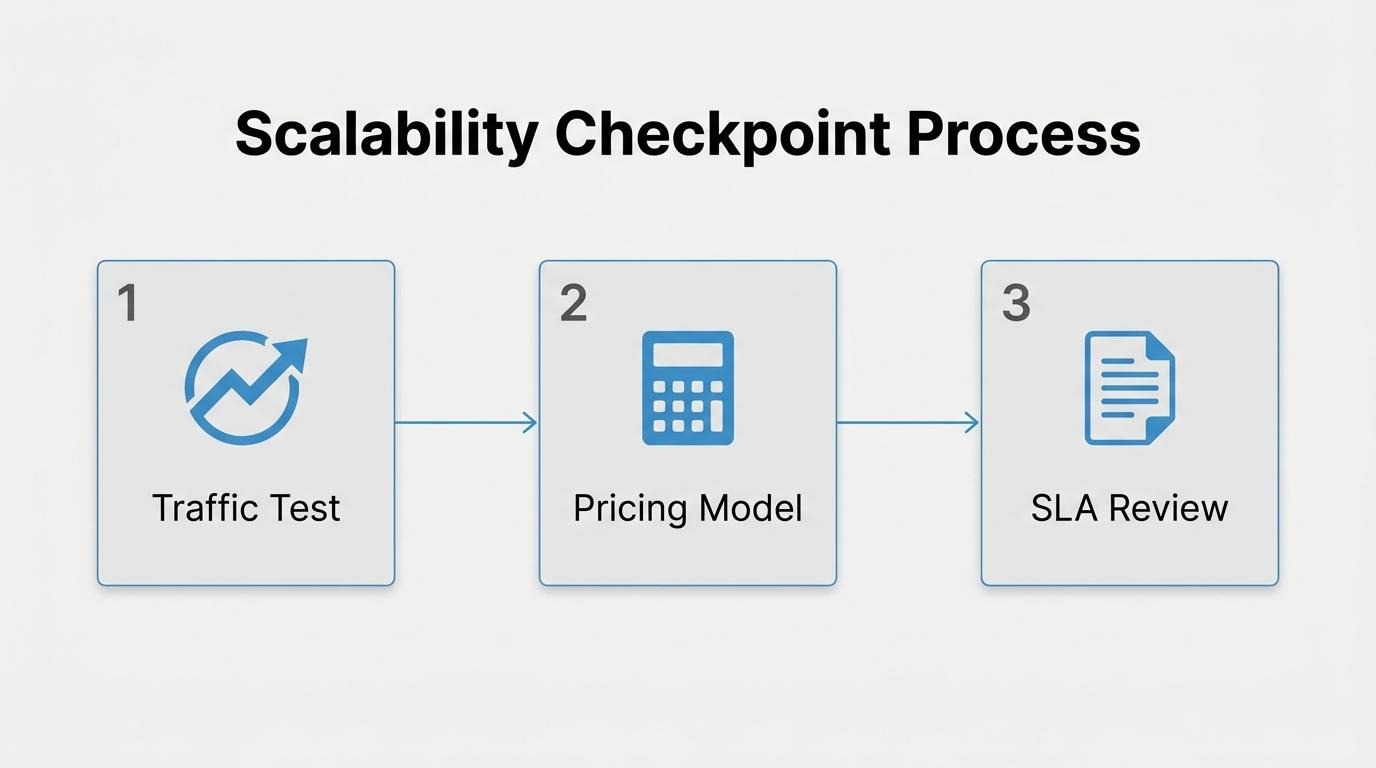
The platform can handle traffic spikes without performance drops if it runs on elastic cloud infrastructure with auto-scaling capabilities. According to the U.S. General Services Administration Cloud Information Center, cloud resources can be elastically provisioned and released, in some cases automatically, to scale rapidly outward and inward based on demand, with infrastructure that appears virtually unlimited to the consumer.
Without this elasticity, servers return 503 Service Unavailable errors during temporary overloads, as defined by the Internet Engineering Task Force. For enterprise brands, even brief downtime during peak seasons carries outsized risk. The U.S. Bureau of Labor Statistics reports that the holiday season accounts for around 19 percent of retailers' annual revenue. A platform that cannot absorb that concentrated demand puts a significant share of yearly sales at risk.
Before committing, request documented load-test results and historical uptime data from the vendor's most recent peak event.
The platform scales pricing as order volume grows through one of several models, such as flat monthly tiers, per-transaction fees, or revenue-based percentages. Each model creates a different cost trajectory as your business expands.
Key pricing structures to evaluate include:
Ask each vendor for a cost projection at 2x and 5x your current order volume. The cheapest plan at launch is rarely the cheapest plan at scale; a platform that penalizes growth with compounding fees becomes a structural constraint on profitability.
The infrastructure guarantees you should look for in an SLA include uptime commitments, response-time targets, penalty clauses, and clearly defined performance metrics. According to the U.S. Government Accountability Office, an SLA defines the level of service expected from a provider, how performance will be measured, and what enforcement mechanisms ensure those levels are achieved.
Essential SLA provisions to verify:
An SLA without enforcement mechanisms is a marketing document, not a contract. Insist on measurable penalties tied to each guarantee before signing.
With scalability benchmarks established, the next step is evaluating total cost of ownership across the platform's full lifecycle.
Total cost of ownership includes platform fees, app subscriptions, transaction costs, and ongoing integration maintenance. The sections below break down hidden app-stack expenses, transaction fee models, and the real cost of keeping third-party integrations running.
The hidden costs of running a fragmented app stack include per-app subscription fees, data sync failures, developer hours for compatibility fixes, and compounding vendor lock-in. According to a study published in Acta Informatica Medica, about 90% of total software lifecycle cost is tied to the maintenance phase, not the initial build.
These costs rarely appear in a platform's sticker price. Each added tool introduces its own billing cycle, update schedule, and support channel. When five to fifteen apps run simultaneously, even minor version conflicts can cascade into checkout errors or broken inventory feeds. Research from the Technical University of Munich and University of St. Gallen confirms that application portfolios in large organizations become progressively harder to understand, driving up operational overhead.
For brands processing real volume, the compounding cost of maintaining a fragmented stack often exceeds the platform subscription itself.
Transaction fees and revenue-based pricing differ in how costs scale with growth. Transaction fees charge a fixed percentage per order, so the dollar amount rises linearly with sales volume. Revenue-based pricing ties platform cost to total gross merchandise value, which can accelerate expenses faster during peak seasons or high-AOV periods.
The practical difference becomes clear at scale. A 2% transaction fee on $5 million in annual sales costs $100,000. A revenue-share model at the same rate on a spike month could concentrate disproportionate costs when margins are already thin. Brands evaluating total cost of ownership should model both structures against projected order volume, average order value, and seasonal peaks to identify which pricing model protects margin as the business grows.
Third-party integration maintenance costs include developer time for API updates, webhook monitoring, data reconciliation labor, and downtime risk when a vendor changes its endpoints. A European Commission study on switching cloud service providers found costs ranging from approximately €18,800 for simple data portability cases to €231,400 for highly complex migrations, excluding downtime and concurrent-use expenses that compound disruption further.
These figures reflect just one transition event. Ongoing maintenance is recurring: every third-party app requires monitoring for breaking changes, version deprecations, and security patches. When multiple integrations depend on each other, a single upstream change can trigger a chain of fixes across the stack.
Consolidating core commerce functions into fewer systems is one strategy for reducing this exposure over time, and it is worth weighing against the flexibility a modular app stack provides.
The platform should meet security and compliance standards that protect payment data, satisfy regional privacy laws, and ensure data portability. The core frameworks to verify are PCI DSS for payment security, GDPR and CCPA for customer data rights, and organizational security measures that guarantee confidentiality, integrity, and availability.
An enterprise ecommerce platform processes sensitive payment account data on every transaction. According to the PCI Security Standards Council, PCI DSS defines security requirements to protect environments where payment account data is stored, processed, or transmitted, providing a baseline of technical and operational requirements. Any platform handling card payments must maintain PCI DSS compliance; without it, the business assumes direct liability for breaches.
Beyond payment security, customer data privacy regulations impose strict obligations on how personal information is collected, stored, and transferred. The key requirements include:
These are not optional features to evaluate later. If a platform cannot demonstrate current PCI DSS certification, documented GDPR and CCPA compliance procedures, and verifiable security testing, it introduces regulatory risk that compounds as transaction volume and geographic reach grow. For brands operating across the United States and internationally, overlooking any of these standards turns a technology decision into a legal exposure.
With compliance requirements established, migration complexity becomes the next critical evaluation factor.
You compare migration complexity across platforms by evaluating which data types resist clean transfer, how much revenue exposure the cutover window creates, and whether the timeline accounts for phased validation. The sub-sections below cover the hardest data to migrate, downtime minimization, and realistic scheduling.
The data and workflows hardest to migrate are custom automation logic, historical customer records with cross-channel purchase history, and deeply integrated third-party app configurations. Product catalogs with complex variant structures, subscription billing rules, and loyalty point balances also resist clean transfer because they rely on platform-specific data schemas.
According to a European Commission study on switching cloud services providers, migration costs ranged from approximately €18,800 for simple data portability cases to €231,400 for highly complex cases, excluding termination costs like downtime and concurrent platform use.
Workflow dependencies between disconnected tools create the steepest migration risk. When automation rules, segmentation logic, and CRM data live across separate apps, each connection requires individual re-mapping on the destination platform.
You minimize downtime and revenue loss during migration by running the old and new platforms concurrently, routing traffic in phases, and scheduling the final cutover during your lowest-traffic window. A parallel environment lets teams validate checkout, payment processing, and order fulfillment before any customer-facing switch.
The U.S. Department of Defense recommends "a phased approach to cloud migration, prioritizing applications and workloads based on their criticality, complexity, and readiness for migration," with pilot partners to improve scalability and adaptability.
For enterprise ecommerce, this means migrating non-critical storefronts or internal tools first, confirming data integrity, then cutting over the primary revenue-generating store. DNS propagation, SSL certificates, and payment gateway re-authentication should all be pre-staged.
A realistic migration timeline should span 8 to 20 weeks for most enterprise ecommerce platforms, depending on catalog size, integration count, and data complexity. Simple storefronts with fewer integrations fall toward the shorter end; multi-region operations with custom workflows require the full range.
Key phases include:
Rushing any phase, particularly QA and parallel run, increases the likelihood of revenue-impacting errors at launch. With migration planning complete, evaluating vendor support and platform roadmap ensures the new platform delivers long-term value.
You evaluate vendor support and platform roadmap by scrutinizing SLA commitments, demanding live product demonstrations, and reviewing the vendor's published development timeline. The areas below cover what to assess before signing a contract.
A service level agreement defines the measurable performance standards a vendor commits to. According to the U.S. Government Accountability Office, an SLA specifies "the level of service and performance expected from a provider, how that performance will be measured, and what enforcement mechanisms will be used to ensure the specified performance levels are achieved." GAO identified ten key practices for cloud SLAs, including defining performance objectives and specifying security metrics.
Key SLA elements to evaluate include:
Beyond the SLA, vendor demonstrations reveal more than capability checklists. National Archives and Records Administration guidance warns against simply asking a vendor whether their product can perform a task, because the answer is "almost always 'yes.'" Instead, NARA recommends asking the vendor to demonstrate exactly how the product performs the task, then analyzing that demonstration from the perspective of the typical user. This approach exposes gaps between marketing claims and actual workflow experience.
Platform roadmap transparency matters equally. A vendor's published roadmap signals investment direction, release cadence, and whether the platform's trajectory aligns with your growth plans. Assess the roadmap by reviewing:
For enterprise brands running complex operations, vendor stability is not optional. A platform that stagnates forces another costly migration within a few years. The strongest vendor relationships combine enforceable SLAs, transparent roadmaps, and proof of execution through live demonstrations rather than slide decks.
With vendor trust established, the next step is ensuring customer data flows through the platform as a unified asset.
Unified customer data plays a decisive role in platform selection because it determines how accurately a brand can personalize experiences, predict lifetime value, and retain buyers across channels. The sub-sections below cover how a shared customer record reshapes retention and what breaks when online and offline data remain siloed.
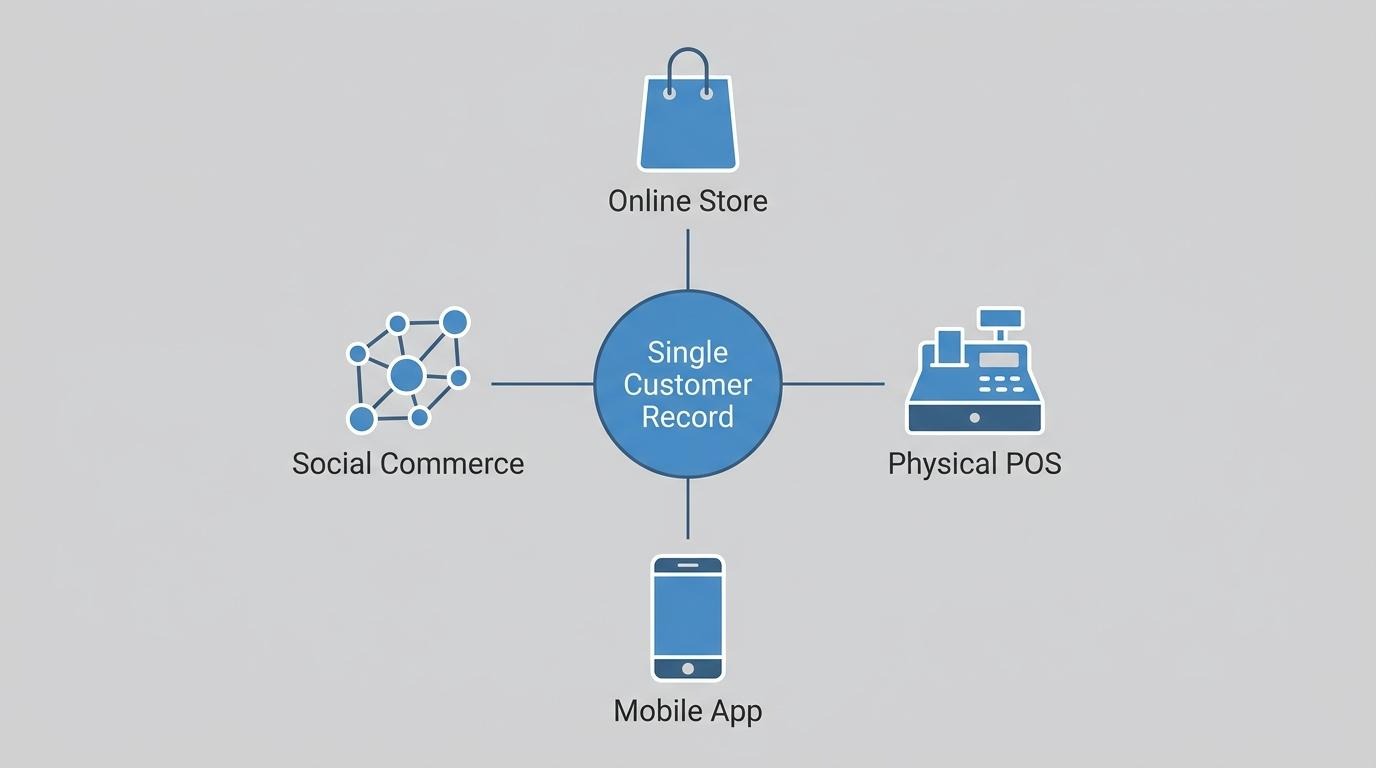
A shared customer record changes retention strategy by giving every channel, automation, and team member access to the same purchase history, browsing behavior, and service interactions for each buyer. When a single profile consolidates online orders, in-store POS transactions, and marketing engagement, lifecycle campaigns can target based on actual behavior rather than partial snapshots.
According to a 2023 paper presented at ACM RecSys, accurate customer lifetime value prediction guides personalized service providers to optimize marketing, sales, and service strategies to maximize retention, satisfaction, and profitability. Without a unified record feeding those LTV models, segmentation relies on incomplete inputs and retention spend gets misallocated.
For brands operating at scale, treating a shared customer record as a platform requirement, not a nice-to-have, is one of the clearest ways to separate high-retention operations from those still guessing at buyer intent.
What breaks when online and offline customer data are siloed is the ability to form a complete view of any individual buyer. According to the National Institute of Standards and Technology (NIST), information silos across lifecycle processes typically allow data to flow in only one direction, and gaps in those flows prevent enterprise-wide utilization of information.
In practical ecommerce terms, siloed data produces specific failures:
Each of these gaps erodes trust and inflates acquisition costs by forcing brands to re-engage buyers they already converted. Choosing a platform with a natively connected data layer across channels avoids this structural weakness before it compounds.
Brands outgrow a multi-tool app stack when data silos, rising subscription costs, and integration failures begin slowing operations. The sections below cover how SHOPLINE consolidates core commerce functions natively and the key takeaways for choosing a customizable enterprise ecommerce platform.
SHOPLINE consolidates storefront, CRM, marketing, subscriptions, and POS by building each function into a single platform with a shared customer data layer. Rather than syncing separate tools through third-party connectors, every transaction, browsing event, and loyalty interaction writes to one customer record.
This architecture eliminates the sync gaps that NIST describes as information "silos" where data typically flows in one direction and gaps prevent enterprise-wide utilization.
SHOPLINE's native capabilities include:
For brands running five to fifteen disconnected tools, this consolidation reduces both operational complexity and cumulative subscription costs.
The key takeaways about choosing a customizable enterprise ecommerce platform center on five decision areas covered throughout this guide:
The right platform is the one that handles your current complexity natively while offering the architectural openness to support what comes next. Results may vary depending on implementation, industry, and scale.