A custom POS system is purpose-built point-of-sale software designed around a specific business's workflows, integrations, and growth requirements rather than forcing operations into a generic template.
This guide covers what separates custom POS from packaged solutions, the core features and architecture decisions a custom build requires, technology stack selection, cost and timeline expectations, and when a unified commerce platform eliminates the need to build from scratch.
Custom POS differs from off-the-shelf options in code ownership, scalability, and flexibility. Development costs in 2025 range from $15,000 to over $450,000 depending on scope, while packaged platforms deploy same-day but restrict access to underlying logic that enterprise retailers need to modify.
A complete custom POS requires transaction processing with offline queuing, real-time inventory synchronization across locations, unified CRM that resolves online and in-store customers to a single record, and hardware abstraction layers that prevent peripheral vendor lock-in. Architecture decisions around database schema design, API extensibility, and offline data syncing determine whether the system scales or breaks under real transaction volume.
Backend choices like Node.js, Go, or Python pair with frontend frameworks such as React or Flutter depending on terminal hardware. Cloud infrastructure from AWS, Google Cloud, or Azure supports horizontal scaling through container orchestration and edge computing at store locations.
PCI DSS 4.0 compliance through tokenization, high-availability architecture for peak traffic, and third-party integration management represent the highest-risk technical challenges. For brands whose operational complexity does not yet justify a ground-up build, consolidating onto a unified platform that natively connects POS, ecommerce, and customer data delivers the same data unification without months of custom development.
A custom POS system is purpose-built point-of-sale software designed around a specific business's workflows, integrations, and growth requirements. Below, we cover how custom builds differ from off-the-shelf options and the business problems they solve.
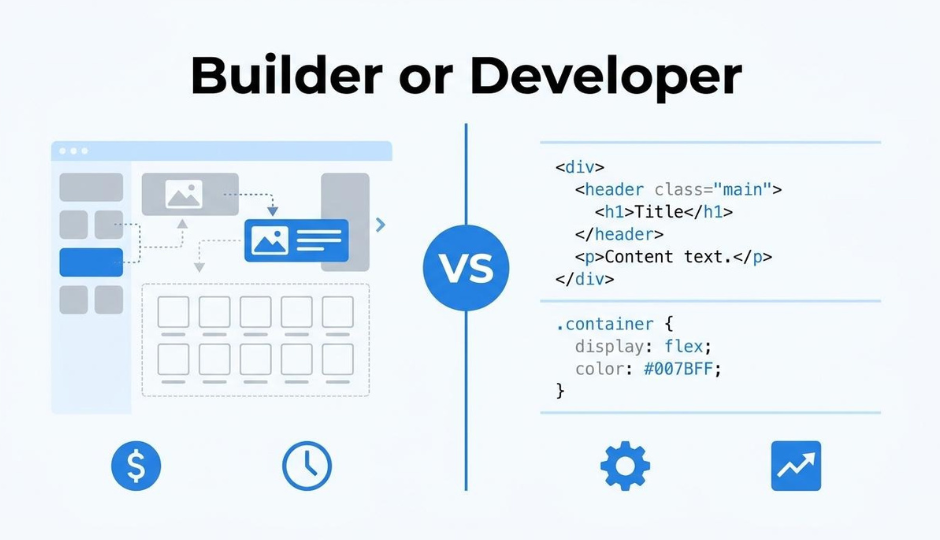
A custom POS differs from an off-the-shelf solution in ownership, flexibility, and scalability. Off-the-shelf platforms like Shopify restrict access to the underlying software code, which limits deep customization for enterprise retailers. Custom POS software, by contrast, provides scalability that connects diverse devices such as kiosks, tablets, and admin systems without architectural constraints.
The industry has shifted from proprietary hardware to commercial-off-the-shelf (COTS) devices like phones and tablets, yet the software layer increasingly demands tailored logic. According to Swell, cloud POS solutions are growing from $5.40 billion in 2024 at a 19% compound annual growth rate through 2030, reflecting how infrastructure preferences have evolved.
Key trade-offs between the two approaches:
For brands operating at scale with complex omnichannel requirements, the upfront investment often pays back through operational efficiency that rigid platforms cannot deliver.
A custom POS system solves fragmented data, rigid workflows, and disconnected channel operations. According to 360 Research Reports, 43% of retailers already rely on custom POS systems, while 52% use custom inventory systems and 37% implement custom customer analytics tools.
The specific problems a custom build addresses include:
These pain points intensify as transaction volume grows, which explains why nearly half of retailers have moved to custom solutions already.
Understanding which problems justify a custom build sets the foundation for defining the core features your system needs.
A custom POS system should include transaction processing, inventory management, CRM, reporting, and hardware integration modules. Each feature set determines how well the system handles daily operations and scales with business growth.
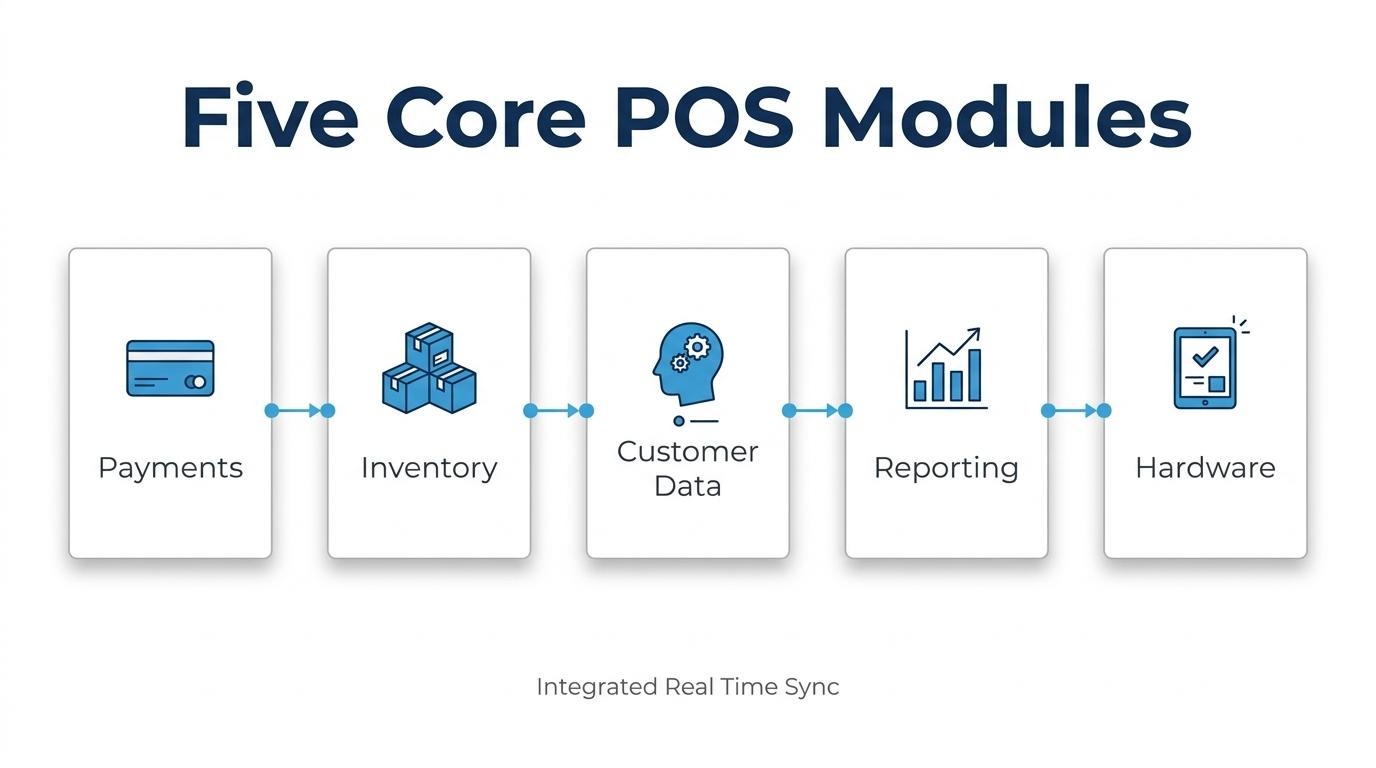
The essential transaction processing capabilities are multi-tender payment acceptance, real-time authorization, offline transaction queuing, and automatic receipt generation. A custom POS must process credit cards, debit cards, mobile wallets, and gift cards through a unified payment gateway. Split payments and partial refunds require dedicated logic within the transaction engine.
According to a 2024 Forbes Tech Council analysis, retail POS systems must include an offline mode to process transactions locally during internet outages and sync data to the cloud once connectivity is restored. This capability prevents lost sales during network disruptions, which makes it non-negotiable for high-volume retail environments.
The inventory management functions that should be built into a custom POS include:
According to a 2025 GMEX Group report on unified commerce, connecting inventory management and payment platforms is essential for ensuring business scalability and operational efficiency. Without this connection, stock discrepancies between online and in-store channels create overselling risks and fulfillment failures. For scaling brands, inventory visibility across every sales channel is where most off-the-shelf systems break first.
A custom POS needs customer profile creation at checkout, purchase history tracking, loyalty program integration, and segmentation tools. Every transaction should automatically enrich a unified customer record that captures preferences, lifetime spend, and channel behavior.
Built-in CRM features allow staff to personalize interactions at the register without switching to a separate system. Tagging customers by segment, tracking opt-ins, and triggering post-purchase workflows directly from the POS removes the need for third-party CRM middleware. This single-record approach matters most when online and offline purchase data must resolve to the same customer identity.
The required reporting and analytics modules are real-time sales dashboards, employee performance tracking, product-level margin analysis, and time-based trend reports. A custom POS should generate hourly, daily, and weekly summaries without requiring data exports to external tools.
Key report types include:
Custom analytics modules offer an advantage over generic platforms because they can surface metrics specific to your business model rather than forcing you into predefined report templates.
A custom POS must support barcode scanners, receipt printers, cash drawers, card readers, customer-facing displays, and weight scales. Each peripheral communicates through standardized protocols, so the system needs driver-level compatibility and fallback handling when devices disconnect.
Essential hardware integration points include:
Building hardware abstraction layers into the architecture prevents vendor lock-in on peripherals and allows location-specific device configurations without code changes.
With core features defined, the next step is planning the system architecture that connects them.
You plan the architecture of a custom POS system by designing a unified database schema, choosing an extensible API layer, and engineering reliable offline functionality. The following subsections cover each architectural pillar.
You should structure the database for omnichannel data using a unified schema that resolves every customer, product, and transaction to a single record regardless of channel origin. This eliminates the data silos that fragment most retail operations.
A well-designed omnichannel database typically includes:
According to a 2025 Coresight Research report sponsored by Intel, generative AI enables retail enterprises to access unstructured data stranded in silos across the supply chain using natural human language queries. Designing your schema to accommodate both structured transactional data and unstructured inputs positions the system for AI-driven analytics down the line.
The API design approach that keeps a custom POS extensible is a modular, versioned architecture built around RESTful endpoints or GraphQL queries. This allows new integrations, hardware peripherals, and third-party services to connect without rewriting core logic.
Key principles for extensible POS API design include:
GraphQL is particularly effective for POS contexts because it reduces the endpoint juggling required by traditional REST setups, letting terminal interfaces request only the data fields they need. For brands running multiple channels, this flexibility becomes essential as integration requirements compound over time.
You handle offline mode and data syncing by engineering the POS terminal to process transactions locally during connectivity loss, then reconcile those records with the cloud once the connection restores. According to Forbes, retail POS systems must include an offline mode to process transactions locally during internet outages and sync data to the cloud once connectivity is restored.
A reliable offline architecture requires:
Without this layer, a single internet outage during peak hours can halt revenue entirely. Building offline resilience from the start is far less costly than retrofitting it after launch.
The technology stack for a custom POS system spans backend languages, frontend frameworks, and cloud infrastructure. Each layer requires specific choices based on transaction speed, offline capability, and scalability needs.
The backend languages and frameworks that work best for POS include Node.js, Python, Go, and Java, each suited to different performance requirements. Node.js handles high-concurrency transaction processing efficiently through its event-driven architecture. Go delivers low-latency performance for systems requiring rapid checkout throughput. Python paired with Django or FastAPI accelerates development when analytics and machine learning integrations are priorities. Java remains common in enterprise POS environments where long-term maintainability and strict typing reduce runtime errors. The framework choice should prioritize real-time event handling, since POS systems process continuous streams of inventory updates, payment confirmations, and receipt generation simultaneously.
The frontend technologies that support POS terminal interfaces include React, Flutter, and Electron, depending on whether the terminal runs on web, mobile, or desktop hardware. React powers browser-based POS interfaces that run on tablets and touchscreen kiosks. Flutter enables cross-platform deployment across Android and iOS terminals from a single codebase. Electron wraps web technologies into native desktop applications for traditional register setups. For retailers shifting toward COTS devices like phones and tablets rather than proprietary hardware, responsive web frameworks reduce the need for platform-specific builds. The interface layer must also support local caching and service workers to maintain usability during connectivity interruptions.
Custom POS systems should run on cloud infrastructure from providers such as AWS, Google Cloud, or Microsoft Azure, chosen based on geographic availability, compliance certifications, and managed service breadth. According to Intel-sponsored research by Coresight Research, retail technology trends in 2025 emphasize cloud-native architectures that support generative AI capabilities and real-time data access across distributed store networks. Container orchestration through Kubernetes enables horizontal scaling during peak transaction periods. Managed databases like Amazon Aurora or Google Cloud Spanner handle the high write-throughput that POS transaction logs demand. Edge computing nodes deployed at store locations reduce latency for payment processing while maintaining centralized data aggregation for reporting.
Understanding your technology stack requirements clarifies the investment needed, which the next section breaks down by build scope.
The cost to build a custom POS system ranges from $8,000 for a basic MVP to over $450,000 for enterprise-grade solutions. Standard off-the-shelf POS software costs $50 to $150 per month, while custom builds require significant upfront investment but eliminate recurring per-terminal licensing fees at scale.
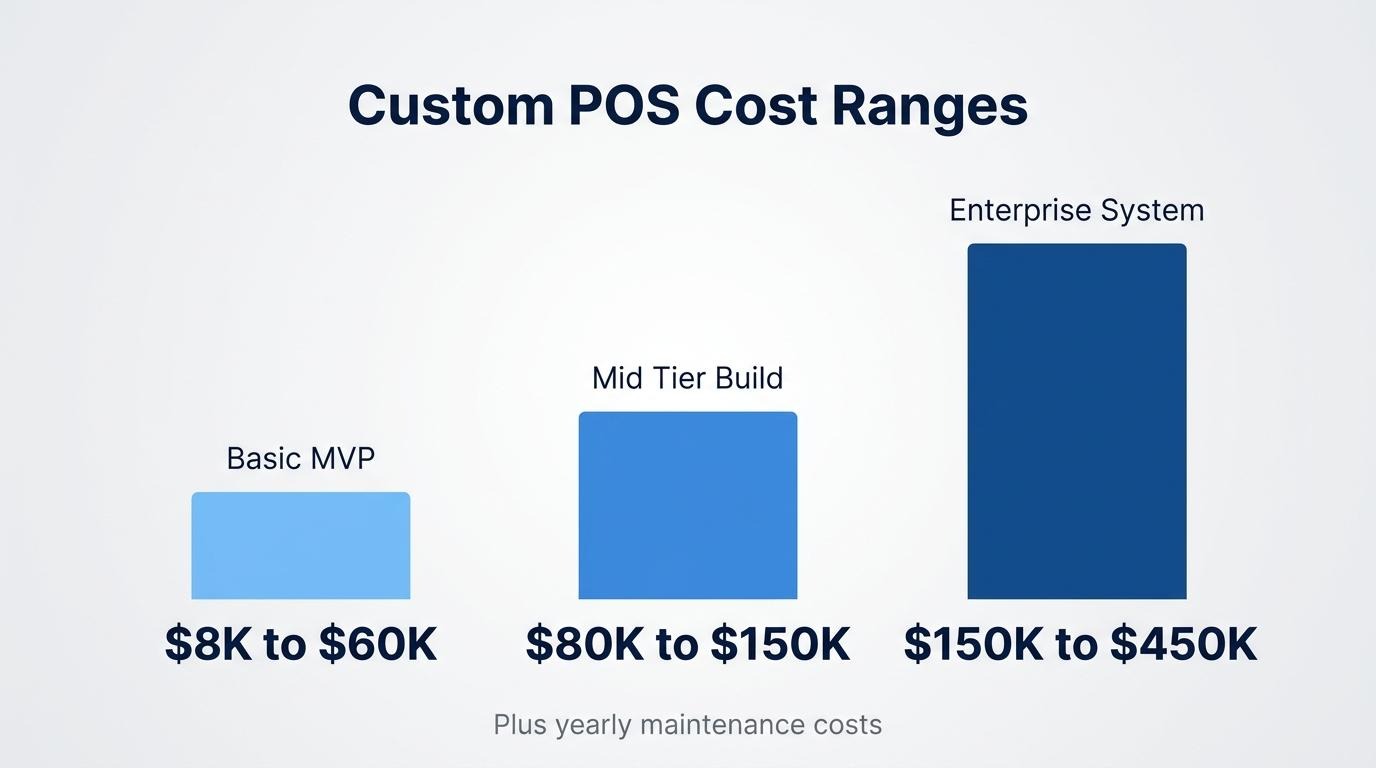
A minimum viable POS build costs between $8,000 and $60,000. According to UX Continuum's 2025 analysis, MVP developer costs for retail applications vary widely based on complexity and regional labor rates. Key cost factors include:
A basic custom POS MVP typically requires two to three months of development time. For brands already operating at scale, investing closer to the $40,000–$60,000 range produces an MVP stable enough to validate workflows before committing to a full build.
A full-featured enterprise POS build costs between $80,000 and $450,000 or more, with development timelines spanning four to twelve months. The wide range reflects differences in feature scope:
Geographic labor rates significantly affect total cost. Custom POS development in 2025 ranges from $15,000 to over $150,000 based on team location alone. Enterprise retailers needing deep customization often find this investment justified when off-the-shelf platforms restrict access to underlying code.
The ongoing maintenance and scaling costs for a custom POS system typically run 15–20% of the original build cost annually. This covers:
Advanced cloud-integrated systems can exceed $150 per month in hosting alone, according to Spartan POS, before accounting for developer hours. Most teams budget $12,000–$90,000 per year depending on system complexity. For brands reaching the point where maintenance costs rival the total cost of a unified platform subscription, consolidating onto an all-in-one system that includes native POS becomes worth evaluating.
Custom POS development takes 2 to 12 months depending on project scope. The timeline breaks into two main phases: discovery and planning, followed by core development through launch.
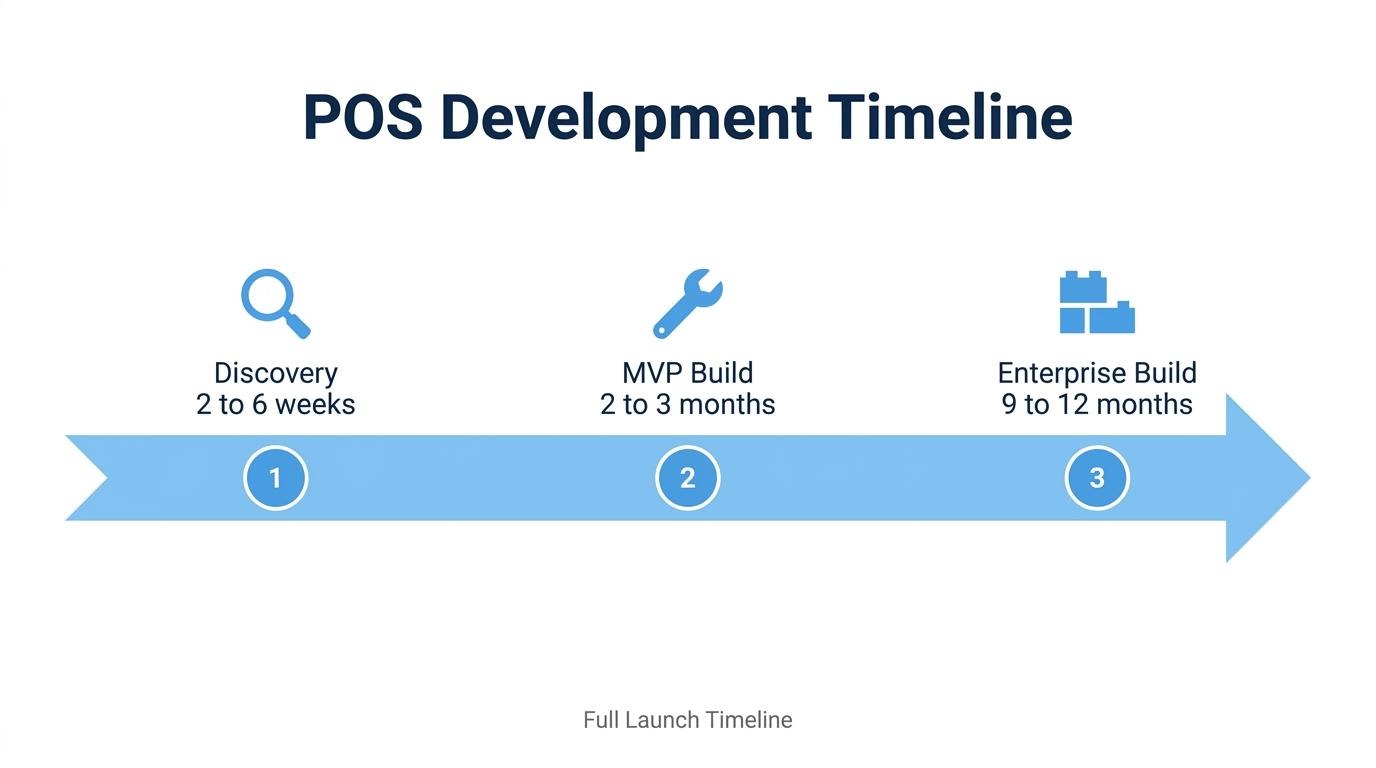
The discovery and planning phase takes 2 to 6 weeks for most custom POS projects. This phase covers requirements gathering, workflow mapping, technology stack selection, and architectural decisions before any code is written.
Teams that compress this phase often face costly rework during development. Defining integration points, compliance requirements, and hardware specifications upfront prevents scope creep that can add months to delivery. For enterprise builds targeting 9–12 month timelines, discovery alone may extend to 8 weeks when multiple stakeholder groups and legacy system audits are involved.
Core development through launch takes 2 to 12 months depending on complexity. According to Abbacus Technologies, a basic custom POS MVP typically requires 2–3 months of development, while enterprise-level complex systems can take 9–12 months to complete.
Several factors determine where a project falls on this spectrum:
For brands already managing real transaction volume, the build-versus-buy calculus often hinges on whether that 9–12 month window is operationally feasible while revenue depends on the current system.
With timelines established, understanding the biggest challenges of custom POS builds helps teams plan realistic budgets and contingencies.
The biggest challenges of building a custom POS are maintaining payment security compliance, ensuring system reliability under load, and managing complex third-party integrations.
You handle PCI compliance and payment security by reducing your system's scope of exposure to cardholder data. PCI DSS 4.0 compliance strategies focus on scope reduction through tokenization, serverless payment processing, and isolated microservices, according to Petronella Tech. Tokenization replaces sensitive card numbers with non-reversible tokens before they reach your servers, which means your custom POS never stores raw payment data. Serverless payment functions further isolate processing logic from the rest of your application. For most custom builds, the practical approach is delegating actual card handling to a certified payment gateway while keeping your POS outside the compliance boundary entirely.
You ensure reliability during high transaction volume by designing for horizontal scalability and graceful degradation from the start. Key architectural strategies include:
Retailers often struggle with POS rollouts due to integration issues and downtime risks, which makes high-availability architecture non-negotiable for custom systems handling thousands of concurrent transactions. Stress-testing at 2–3x projected peak volume before launch catches bottlenecks that only surface under real load.
You manage integrations with third-party services by treating every external connection as an unreliable dependency with its own failure mode. A well-architected custom POS isolates each integration behind an abstraction layer, so replacing an ERP, loyalty provider, or shipping API does not require rewriting core transaction logic. Versioned API contracts, webhook retry policies, and dedicated integration logs reduce debugging time when third-party endpoints change without notice. The more services a custom POS connects to, the higher the maintenance burden becomes; each integration adds a potential point of failure that your team must monitor indefinitely.
With these challenges mapped, the next decision is whether to build at all.
You should build a custom POS when operational complexity exceeds what off-the-shelf systems can accommodate. The decision depends on specific business signals covered below.
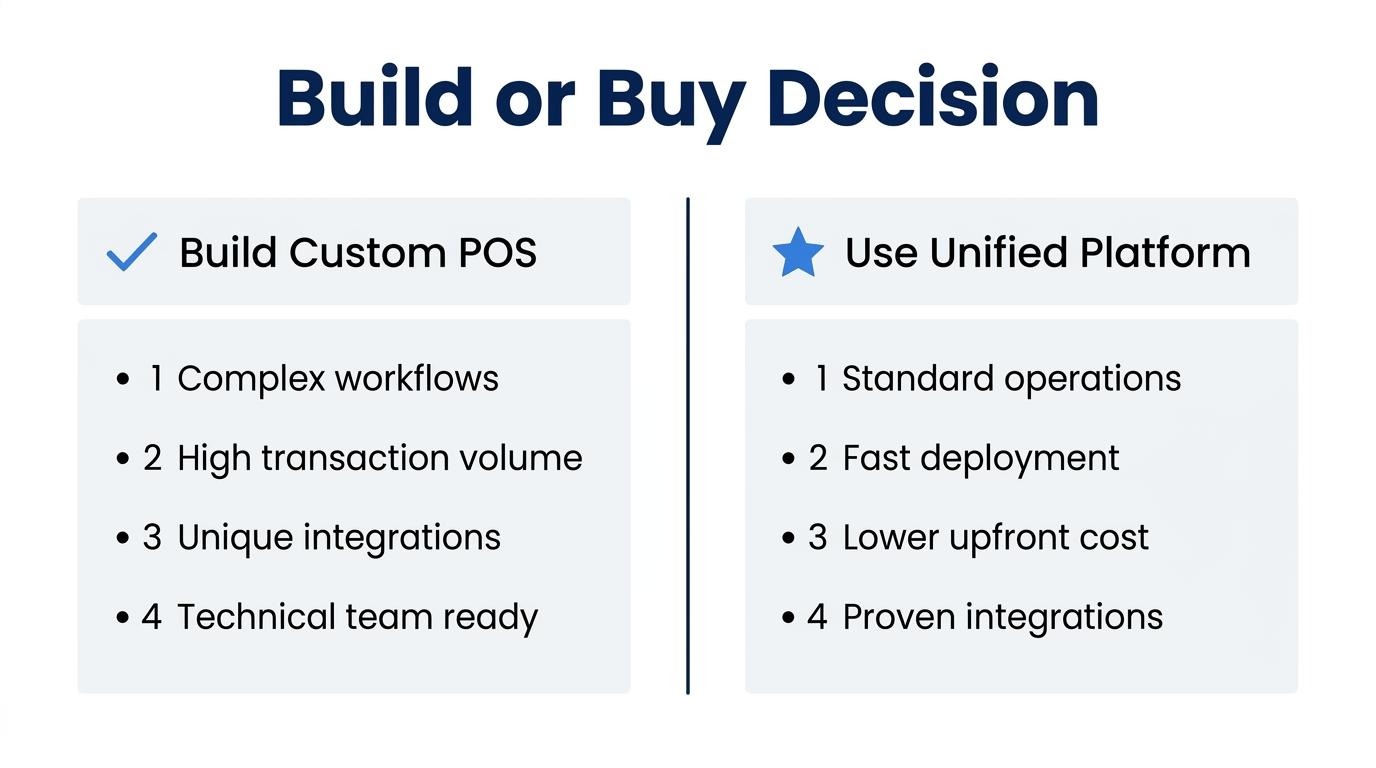
The signals that indicate your brand has outgrown off-the-shelf POS include hitting platform limitations that directly constrain revenue or operations. According to a Diva-Portal study, a significant downside of established off-the-shelf platforms is restriction to the software code, which limits deep customization for enterprise retailers.
Key indicators include:
When these friction points compound, the total cost of workarounds often surpasses what a purpose-built system demands.
The signals that indicate a custom build is premature center on insufficient scale, unclear requirements, or lack of internal technical capacity. Since custom POS development costs in 2025 range from $15,000 to over $150,000 according to Netclues, committing capital before validating actual needs creates significant financial risk.
A custom build is likely premature when:
For brands at this stage, consolidating onto an all-in-one platform that natively unifies POS with ecommerce and CRM often resolves pain points without the overhead of a ground-up build.
Understanding readiness helps determine whether the next step is custom development or a unified platform approach.
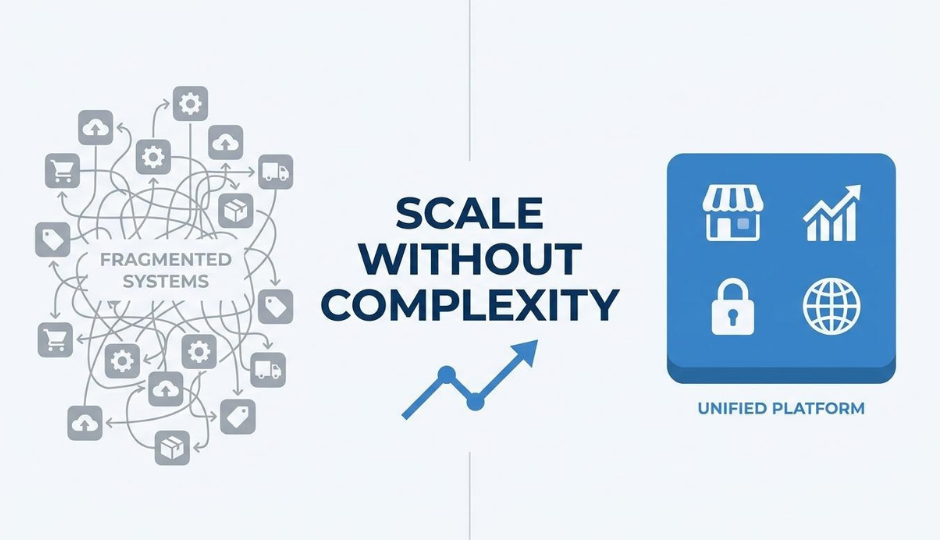
You unify online and in-store data without building from scratch by adopting a platform where POS, ecommerce, and customer records share a single backend. The following sections cover what changes with a unified system and the key takeaways for custom POS decisions.
What changes when POS and ecommerce live in one system at SHOPLINE is the elimination of data silos between online and offline channels. SHOPLINE's OMO solution enables real-time inventory synchronization and cross-channel fulfillment, such as buying online and picking up in-store (BOPIS).
On SHOPLINE, online orders, in-store transactions, subscriptions, and loyalty workflows resolve to a single customer record. This removes the reconciliation work that typically requires custom middleware or CDP integrations. Inventory counts update across all channels simultaneously, so stock discrepancies between web and retail locations disappear.
For brands operating at scale, this approach bypasses months of custom development while delivering the unified data layer that a from-scratch build aims to achieve.
The key takeaways about building a custom POS system center on cost, complexity, and whether your business genuinely needs ground-up development.
Most scaling brands benefit more from consolidating their stack than from adding custom infrastructure on top of fragmented tools.