.png)
A POS system is the combination of hardware and software retailers use to complete sales, process payments, and manage store operations from a single platform.
This guide covers POS components and transaction flow, first-time setup and configuration, daily checkout operations, inventory and returns management, reporting and staff training, and unified multi-channel operations.
POS hardware includes card readers, barcode scanners, terminals, and receipt printers, while the software side handles product catalogs, tax calculation, customer profiles, and sales reporting. Together, these components process card payments in seconds by transmitting encrypted data to a processor for verification and approval.
Setting up a POS for the first time involves selecting hardware matched to your store layout, configuring software with business details and user permissions, connecting a PCI-compliant payment processor, importing your product catalog, and programming location-specific tax rates with customized receipt templates.
Daily checkout workflows cover scanning or searching items, applying discounts and promo codes, accepting multiple payment types (including cards, mobile wallets, and split payments), and issuing printed or digital receipts. Each completed transaction automatically updates inventory counts across connected channels.
Real-time inventory tracking helps isolate shrinkage before it compounds, while low-stock alerts and multi-location syncing prevent both stockouts and overselling. For returns and exchanges, the POS pulls up original transactions to process full refunds, even or uneven exchanges, and no-receipt scenarios using alternative customer lookups.
POS reports reveal sales trends by period and category, rank best-selling products, and track individual employee performance metrics like average ticket size and void frequency. Structured staff training on these workflows, combined with ongoing PCI security education, reduces checkout errors and protects customer payment data.
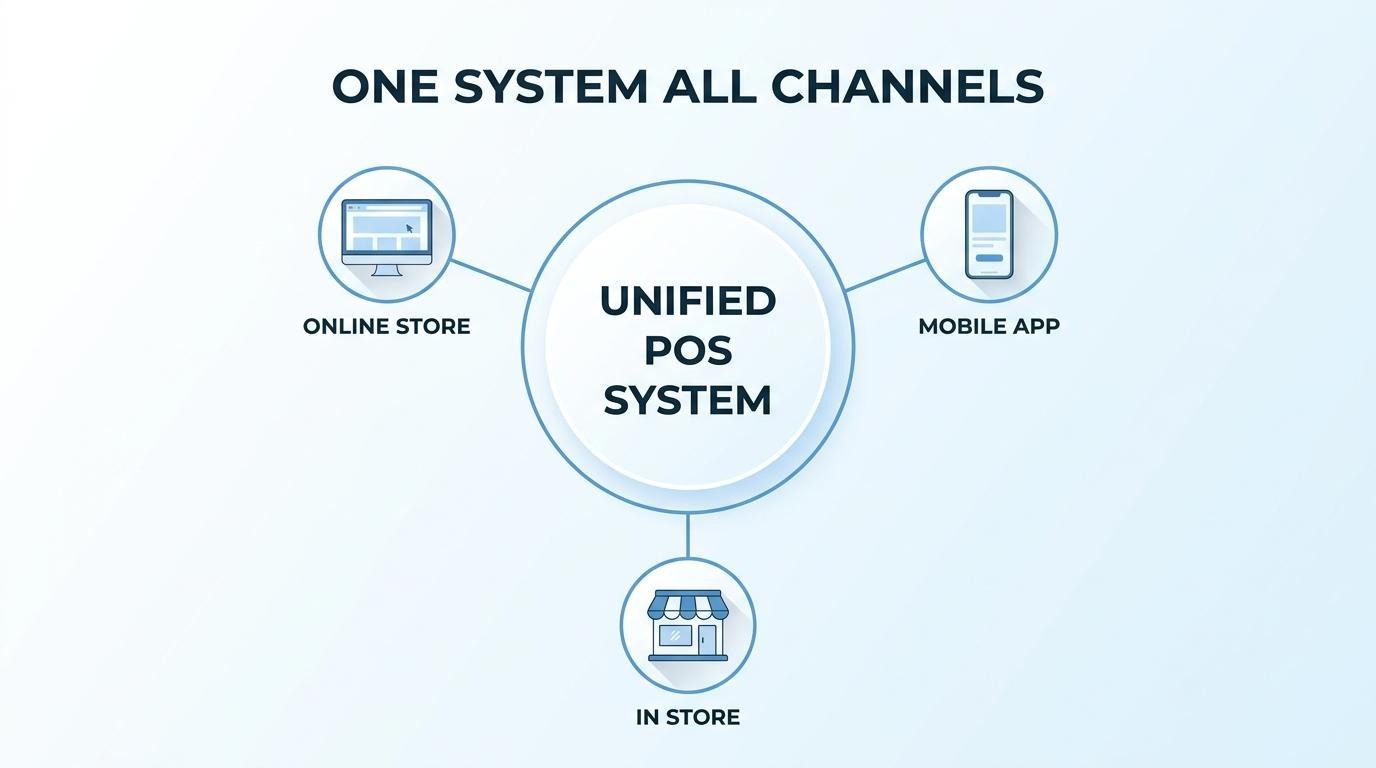
A unified platform like SHOPLINE POS connects online and in-store data into one system, keeping inventory, customer profiles, and transaction records consistent across every sales channel.
A POS system is the combination of hardware and software used to complete retail sales and process payments. The sections below cover its physical components, software capabilities, and transaction flow.
The hardware components that make up a POS system are the physical devices stationed at the checkout point where customers complete purchases. These components work together to scan products, calculate totals, accept payments, and produce proof of purchase.
Core POS hardware includes:
Retailers often start with a terminal and card reader, then add peripherals like scanners and customer-facing displays as checkout volume grows.
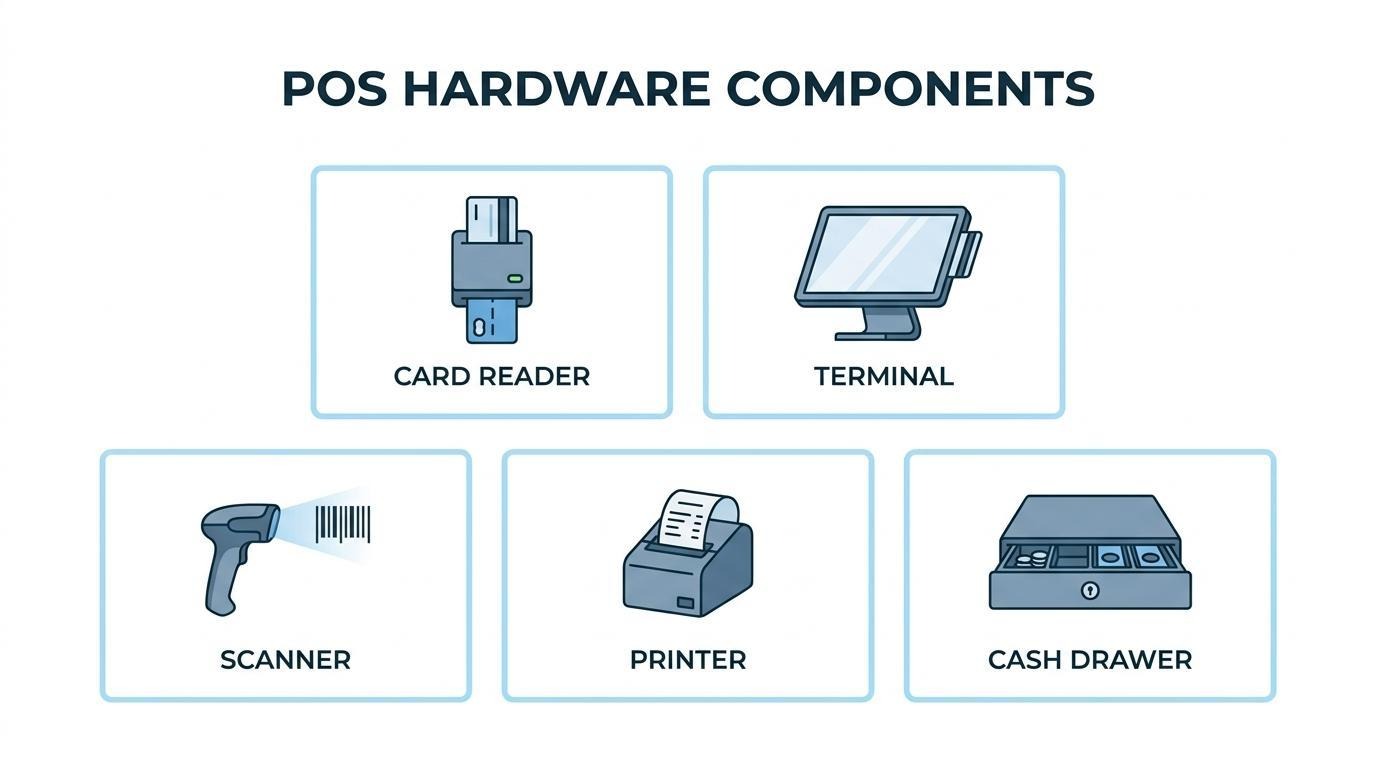
The software features a POS system includes go well beyond basic checkout. POS software manages the digital side of every transaction, from item lookup to post-sale recordkeeping.
According to the Legal Information Institute at Cornell Law School, a POS system encompasses all software used at the point a retail sale is completed, and may be integrated with accounting modules such as general ledgers, accounts receivable, accounts payable, purchasing, and inventory control systems.
Key software features typically include:
For scaling retailers, software depth matters more than hardware sophistication; the reporting and integration capabilities are what turn a simple register into an operational command center.
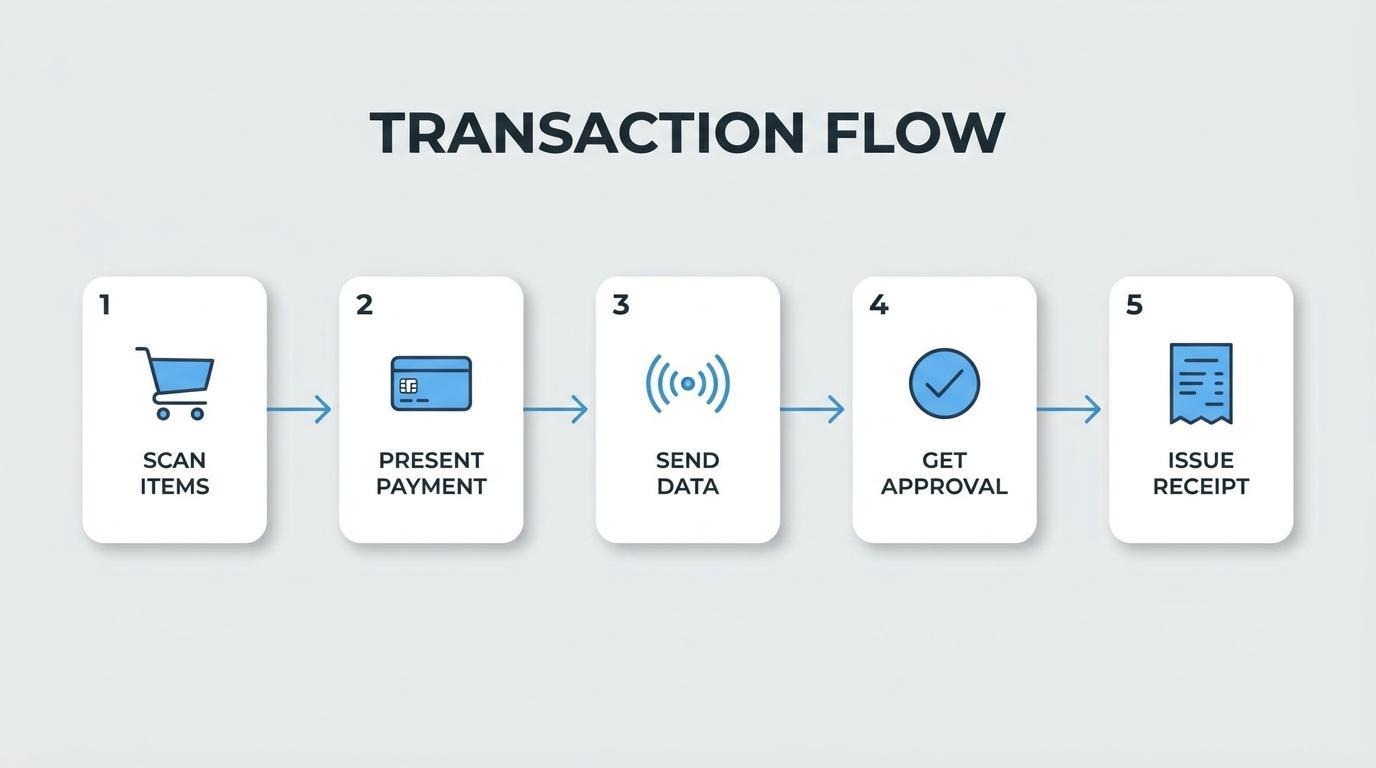
A POS system processes a transaction by transmitting payment data between the merchant terminal and the card processor for authorization. According to the Board of Governors of the Federal Reserve System, a consumer's card information can be transmitted to the processor, verified for validity, confirmed for available funds, and approved or declined back to the POS terminal in mere seconds.
The standard transaction flow follows these steps:
This real-time loop is what separates modern POS systems from traditional cash registers. Understanding each step helps retailers troubleshoot declined transactions and identify where delays originate during peak hours.
You set up a POS system for the first time by selecting compatible hardware, installing and configuring your software, connecting a payment processor, importing your product catalog, and programming tax rates with receipt templates.
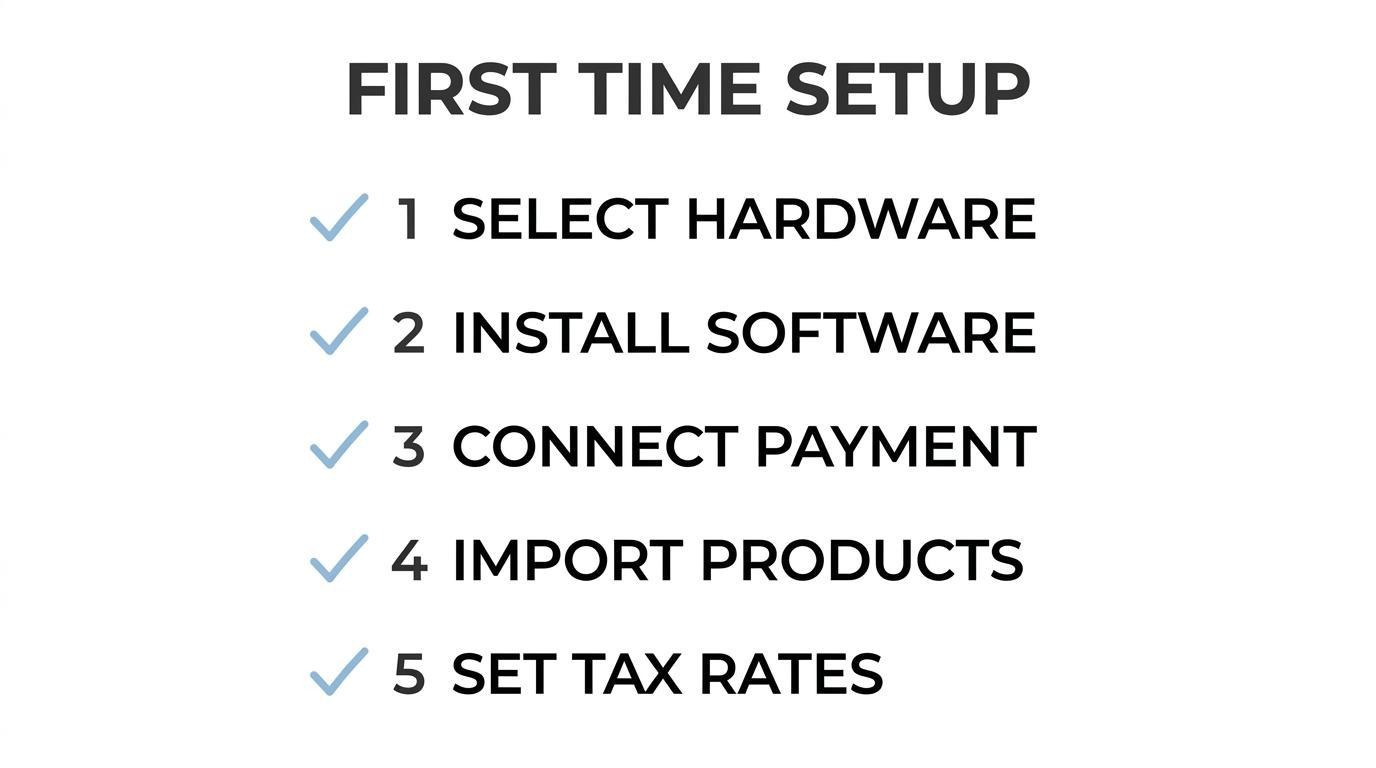
You choose the right POS hardware by matching each component to your store's sales volume, layout, and checkout workflow. Essential hardware includes:
Consider whether your business needs a fixed countertop setup or a mobile tablet for line-busting and floor sales. Wireless-capable hardware gives flexibility for pop-ups and events, while wired setups offer more stability for high-traffic registers.
You install and configure POS software by downloading the application onto your chosen hardware, creating a business account, and completing initial settings. Key configuration steps include:
Cloud-based POS software typically updates automatically, which reduces ongoing IT maintenance compared to locally installed systems.
You connect payment processing to your POS by linking a merchant account or integrated payment gateway within your software's settings panel. Most modern POS platforms offer built-in payment integrations that pair with a processor in minutes.
Security compliance is non-negotiable during this step. According to the PCI Security Standards Council, PCI DSS applies to all entities involved in payment processing, including merchants regardless of size or transaction volume; hiring qualified partners and training staff on payment data security essentials are foundational requirements.
After activation, run a test transaction with each accepted payment method to confirm the connection works end to end. Verifying that sales data flows correctly into your reports at this stage prevents reconciliation headaches later.
You import your product catalog into the POS by uploading a structured spreadsheet (typically CSV) that contains each item's name, SKU, price, category, and current stock count. Most POS platforms provide a downloadable template that maps these fields automatically.
Before importing, clean your data:
For retailers with an existing online store, many POS systems can sync the catalog directly, pulling product details, images, and variants without manual re-entry. This is where a unified platform pays off; when your online catalog and in-store POS share one product database, every price update or stock change reflects across both channels instantly.
You set up tax rates and receipt templates by entering your applicable sales tax percentages into the POS settings and customizing the receipt layout. Each jurisdiction may require different rates, so configure tax rules by:
For receipts, customize the template to include your store name, address, itemized product list, tax breakdown, payment method, and return policy summary. The New York State Department of Taxation and Finance requires that each POS transaction record provide enough detail to independently determine the taxability of each sale and the amount of tax collected.
Getting tax configuration right from day one protects your business during audits and builds customer trust at the register, which sets the foundation for smooth daily checkout operations.
You ring up a sale on a POS system by scanning items, applying any discounts, selecting a payment method, and issuing a receipt. The following steps cover each stage of the checkout process.
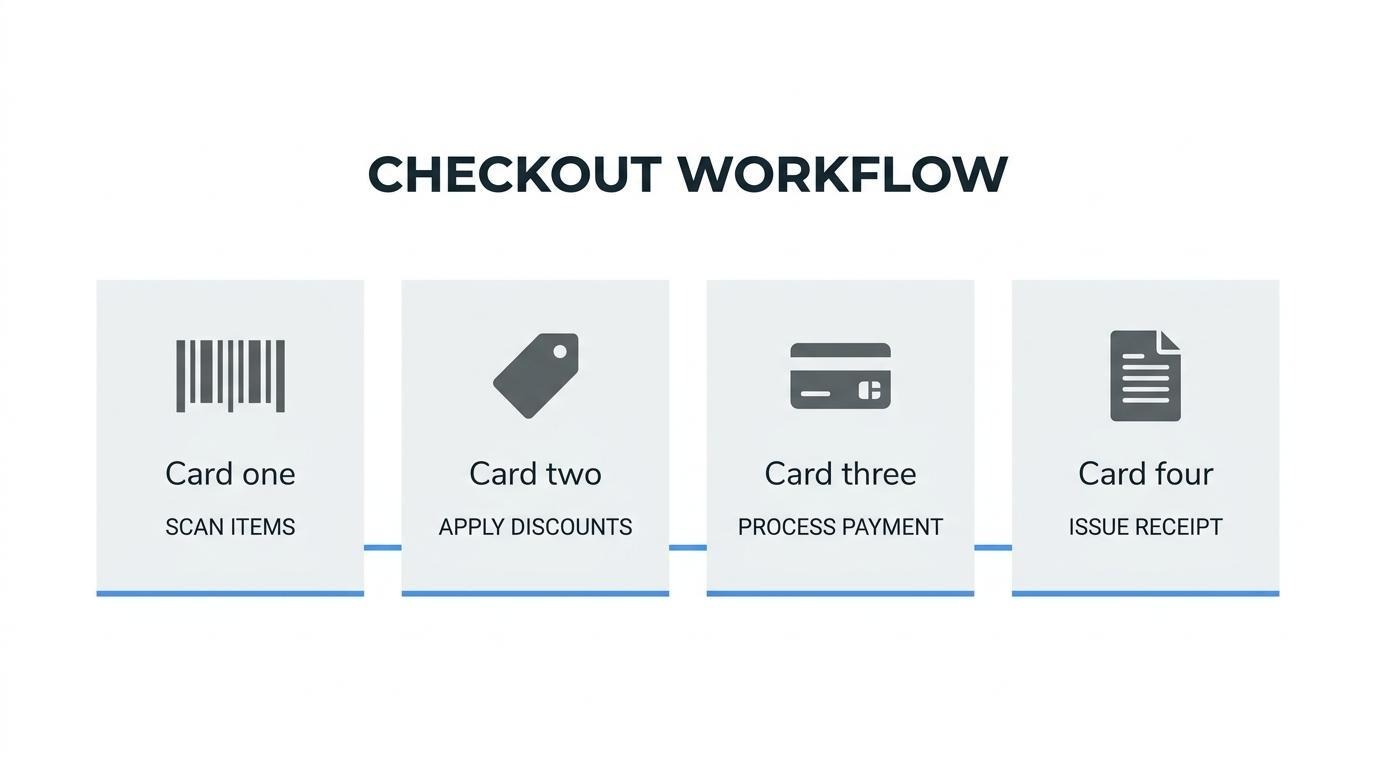
You scan or search for items at checkout by using a barcode scanner or the POS software's built-in product search. Passing a product's barcode under the scanner instantly pulls the item name, price, and SKU into the active transaction. When an item lacks a barcode, most POS interfaces let you type a product name, category, or SKU into a search bar. Touchscreen systems often display quick-access tiles for high-volume items, eliminating the need to scan or search at all. Each method populates the same line-item detail in the cart, so pricing and inventory counts update regardless of how the product was added.
You apply discounts or promo codes during a sale through the POS discount function before finalizing payment. Most systems offer several discount types:
The POS recalculates tax after the discount is applied, so the receipt reflects the adjusted totals. Training staff to verify discount stacking rules prevents unintended margin loss.
You process different payment methods by selecting the appropriate tender type on the POS terminal before the customer completes payment. According to a 2024 report from the Board of Governors of the Federal Reserve System, it can take mere seconds for card information to be transmitted to the processor, verified, and an approval or declination returned to the POS terminal. Common tender types include:
Accepting multiple payment methods reduces abandoned transactions and meets customers where they prefer to pay.
You handle split payments on a POS by dividing a single transaction across two or more tender types. The cashier selects a split payment option, then assigns a specific dollar amount to the first method. After that partial payment processes, the POS displays the remaining balance for the next method. Most systems support splits between any combination of card, cash, mobile wallet, or gift card. Some platforms also allow splitting by item, letting one customer pay for select products while another covers the rest. Confirming the remaining balance reaches zero before closing the transaction prevents reconciliation errors at end of day.
You issue a receipt after a transaction by selecting a delivery method once payment is approved. POS systems typically offer three options:
Digital receipts reduce paper costs and give retailers an opportunity to capture customer contact information for future marketing. Each POS transaction record should provide enough detail to independently determine the taxability of each sale, as required by the New York State Department of Taxation and Finance. Storing receipts digitally also simplifies return processing and audit preparation.
With checkout complete, tracking the inventory behind those sales keeps stock levels accurate across every channel.
You manage inventory through a POS system by using its built-in tracking, alert, and synchronization tools. The sections below cover real-time stock monitoring, low-stock alert configuration, and multi-location inventory syncing.
You track stock levels in real time by letting your POS system automatically adjust quantities each time a sale, return, or transfer occurs. Every scanned transaction deducts or adds units to the product's count instantly, eliminating manual spreadsheet updates.
This matters because inventory accuracy directly affects profitability. According to the Loss Prevention Research Council, the average industry-wide shrink rate increased from 1.4% in fiscal year 2021 to 1.6% in fiscal year 2022, driven by both criminal and non-criminal sources. Real-time tracking helps isolate discrepancies before they compound into significant losses. Retailers who rely on periodic manual counts often discover shrink weeks after it happens, when corrective action is far less effective.
You set up low-stock alerts on your POS by defining reorder thresholds for each product or category within the inventory settings. When on-hand quantity drops to or below that threshold, the system triggers an automatic notification.
Effective alert configuration requires a few key steps:
For high-volume retailers, getting these thresholds right prevents both stockouts and overstock situations that tie up working capital unnecessarily.
You sync inventory across multiple locations by connecting all stores and sales channels to a centralized POS database that updates in real time. When a unit sells at one location or online, the shared inventory pool reflects the change across every connected channel simultaneously.
Centralized syncing eliminates the most common multi-location pain point: selling an item in-store that was already purchased online. Platforms built around a shared data layer, including SHOPLINE, keep online and offline inventory tied to one system rather than reconciling separate databases after the fact. This unified approach reduces overselling errors and gives store managers accurate counts regardless of which channel generated the sale.
With inventory managed centrally, POS reporting tools can then surface patterns in product performance across every channel.
You process returns and exchanges on a POS by pulling up the original transaction, selecting the items being returned, and choosing between a refund or an exchange. The steps below cover full refunds, even and uneven exchanges, and no-receipt scenarios.
You issue a full refund through the POS by locating the original transaction, selecting the returned items, and processing the refund to the customer's original payment method. Most systems let you search by receipt number, date, or customer profile.
The typical steps include:
The POS automatically adjusts inventory counts and records the refund in sales reports, keeping your data accurate without manual corrections.
You process an even or uneven exchange by initiating a return for the original item and ringing up the replacement item within the same transaction. An even exchange occurs when the replacement costs the same as the original; an uneven exchange involves a price difference.
For even exchanges, the POS zeroes out the balance after applying the return credit to the new item. For uneven exchanges, the system calculates the difference automatically. If the new item costs more, the customer pays the remaining balance. If it costs less, the POS issues a partial refund or store credit.
Handling both exchange types within a single transaction keeps the receipt clean and inventory synchronized across channels.
You handle returns without a receipt by using alternative lookup methods available in your POS, such as searching by the customer's email, phone number, loyalty account, or payment card used during the original purchase. Many retailers limit no-receipt returns to store credit or even exchanges to reduce fraud risk.
According to the California Department of Justice, many retailers require the original receipt for any returns and display their return policies at the cash register or customer service department. Setting clear, visible policies protects both the business and the customer.
For retailers managing no-receipt returns, building a well-defined return policy directly into the POS workflow reduces confusion at the register and keeps staff decisions consistent. With return processes standardized, POS reporting can reveal deeper patterns worth acting on.
POS reports turn raw transaction data into actionable retail insights. Sales summaries, product rankings, and employee metrics each reveal specific opportunities to improve profitability and operations.
Sales reports tell you about performance by quantifying revenue across time periods, product categories, customers, and payment methods. A POS system generates daily, weekly, and monthly sales summaries that reveal trends in purchasing behavior and seasonal demand shifts.
According to the University of Connecticut Extension and GrowNYC POS training materials, retailers can drill down on wholesale versus retail orders, online orders versus market purchases, and view sales by categories, products, customers, or payment methods.
Key performance indicators visible in sales reports include:
Retailers who review these reports weekly, rather than monthly, catch revenue dips faster and adjust pricing or promotions before losses compound.
You identify best-selling products using POS data by sorting item-level sales reports by units sold and revenue generated. Most POS systems rank products automatically, letting you filter by category, time range, or location.
This ranking does more than confirm what sells well. It exposes underperformers occupying valuable shelf space, highlights seasonal winners worth restocking early, and reveals which SKUs drive the highest margins versus the highest volume. Cross-referencing top sellers with inventory turnover rates shows whether popular items are also profitable ones.
For retailers managing multiple locations, comparing best-seller lists across stores uncovers regional preferences that should inform location-specific buying decisions. Products performing well online but poorly in-store may need better merchandising rather than discontinuation.
You track employee performance through POS reports by reviewing individual sales totals, transaction counts, average ticket size, and items per transaction for each staff member. POS systems log which associate processes each sale, creating a per-employee performance profile.
Metrics worth monitoring include:
These reports should inform coaching conversations, not just performance reviews. An associate with high transaction counts but low average ticket value likely needs upselling training. One pattern often overlooked: employees with consistently low void rates tend to be more accurate at checkout, which reduces shrink over time.
With unified POS reporting in place, training your staff to use the system correctly becomes the next priority.
You train staff to use a POS system effectively by combining structured onboarding with hands-on practice sessions and ongoing security education. Key training areas include transaction processing, return workflows, inventory lookups, and payment data handling.
Structured onboarding should cover core daily tasks first:
Hands-on practice matters more than manuals alone. Set up a sandbox or training mode within the POS software so employees can simulate transactions, process test refunds, and navigate menus without affecting live data. Repetition in a low-pressure environment builds muscle memory and confidence before the register goes live.
Security training is equally critical. According to the PCI Security Standards Council, PCI DSS applies to all entities involved in payment processing, including merchants regardless of size or transaction volume, and organizations should hire qualified partners and train staff to understand payment data security essentials. Every employee who handles card transactions needs to know how to protect customer information, recognize suspicious activity, and follow proper data handling procedures.
Schedule refresher sessions whenever the system receives a software update or when new features, such as additional payment methods or reporting tools, are introduced. Brief 15-minute walkthroughs during team meetings keep skills current without disrupting store operations.
For retailers operating across multiple channels, training should also address how the POS connects to online inventory and customer records. Staff who understand the unified system can answer customer questions about online order pickups, cross-channel returns, and loyalty balances directly from the terminal. With staff confidently handling the POS, the next step is recognizing the mistakes that most commonly undermine those skills.
Common POS mistakes retailers should avoid include skipping tax configuration, neglecting data security, ignoring inventory sync, and failing to train staff properly. These errors lead to compliance issues, lost revenue, and poor customer experiences.
For retailers managing both physical and digital channels, many of these mistakes compound when online and in-store systems operate independently. A unified POS platform addresses this gap by keeping inventory, customer data, and transaction records in one system.
A unified POS platform can improve retail operations by centralizing sales, inventory, and customer data into one system. The following sections cover online-to-offline data unification and key takeaways for using a POS system effectively.
Yes, SHOPLINE POS can help unify online and in-store data. SHOPLINE POS connects retail shops and online stores, seamlessly integrating a brand's website, social media, messaging apps, and point-of-sale into a single platform. This shared data layer means inventory counts, customer profiles, and transaction histories stay consistent across every channel.
For scaling retailers, this eliminates the manual reconciliation that comes with running disconnected tools. A unified approach also strengthens sales reporting; as noted by the University of Connecticut Extension and GrowNYC, POS systems let operators track daily, weekly, or monthly sales and drill down on wholesale versus retail orders and online orders versus in-store purchases. Having that visibility in one place, rather than across separate dashboards, is what separates efficient operations from reactive ones.
The key takeaways about how to use a POS system center on setup discipline, daily workflow consistency, and data-driven decision-making. Retailers who treat the POS as an operational hub, not just a checkout tool, gain the most value.
Core takeaways include:
Mastering these fundamentals turns a POS system from a transaction processor into the central nervous system of a retail operation.
.png)
.png)