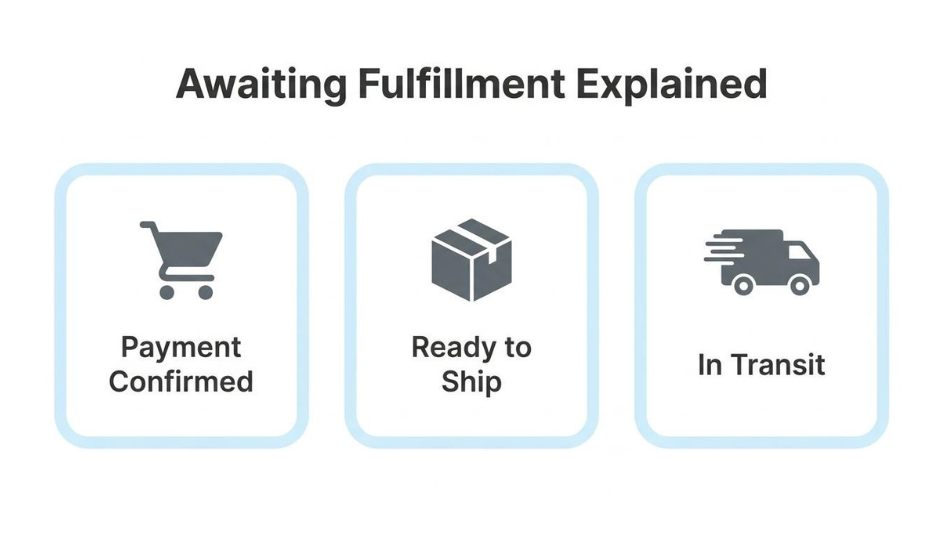
"Awaiting fulfillment" is an ecommerce order status confirming that payment has been captured and the order is queued for picking, packing, and shipping, but physical preparation has not yet started.
This guide covers how this status is defined and triggered, how it compares to other order statuses, what causes orders to get stuck, what customers and merchants should each do to resolve delays, and how multichannel fulfillment complexity connects to a unified platform solution.
Each ecommerce platform labels this stage differently. BigCommerce uses "Awaiting Fulfillment" by default for paid physical orders, Shopify displays "Unfulfilled," and WooCommerce calls it "Processing." The underlying meaning is the same: money is secured and the warehouse team needs to act.
The status sits within a broader lifecycle that flows through capture, validation, reservation, allocation, fulfillment, delivery, return, and close. Orders should move through the awaiting fulfillment window within 24 to 48 hours under normal conditions.
When orders stall, the root causes typically trace to inventory shortages, payment verification failures, disconnected third-party apps, or manual workflow bottlenecks. Each creates a different type of blockage that requires a specific fix, from real-time inventory syncing to automated payment capture rules.
Fulfillment delays carry measurable consequences for customer retention, and selling across multiple channels amplifies the risk. Disconnected systems fragment inventory and order data, creating blind spots that trap orders between platforms. Consolidating order management, inventory, and CRM data into a single system removes the sync gaps responsible for most stuck orders.
The "awaiting fulfillment" status in ecommerce is an order state indicating that payment has been confirmed but the physical preparation and shipping of the order has not yet begun. It sits between payment capture and shipment, signaling that the merchant's warehouse or fulfillment team needs to pick, pack, and hand the order to a carrier. According to BigCommerce documentation, new orders that have been paid for receive an "Awaiting Fulfillment" status by default for physical products, though this can vary based on the payment gateway and method used. Different platforms label this stage differently; Shopify uses "Unfulfilled" as its native term, while WooCommerce calls it "Processing." Regardless of naming, the underlying meaning is consistent: the order is confirmed, the money is secured, and the next step is operational execution. For merchants, this status represents a critical handoff point where back-end efficiency directly shapes the customer's experience with delivery speed.
'Awaiting fulfillment' differs from other order statuses by marking the specific window after payment confirmation but before pick-and-pack begins. The sections below clarify how it compares to awaiting shipment, processing, pending, and shipped.
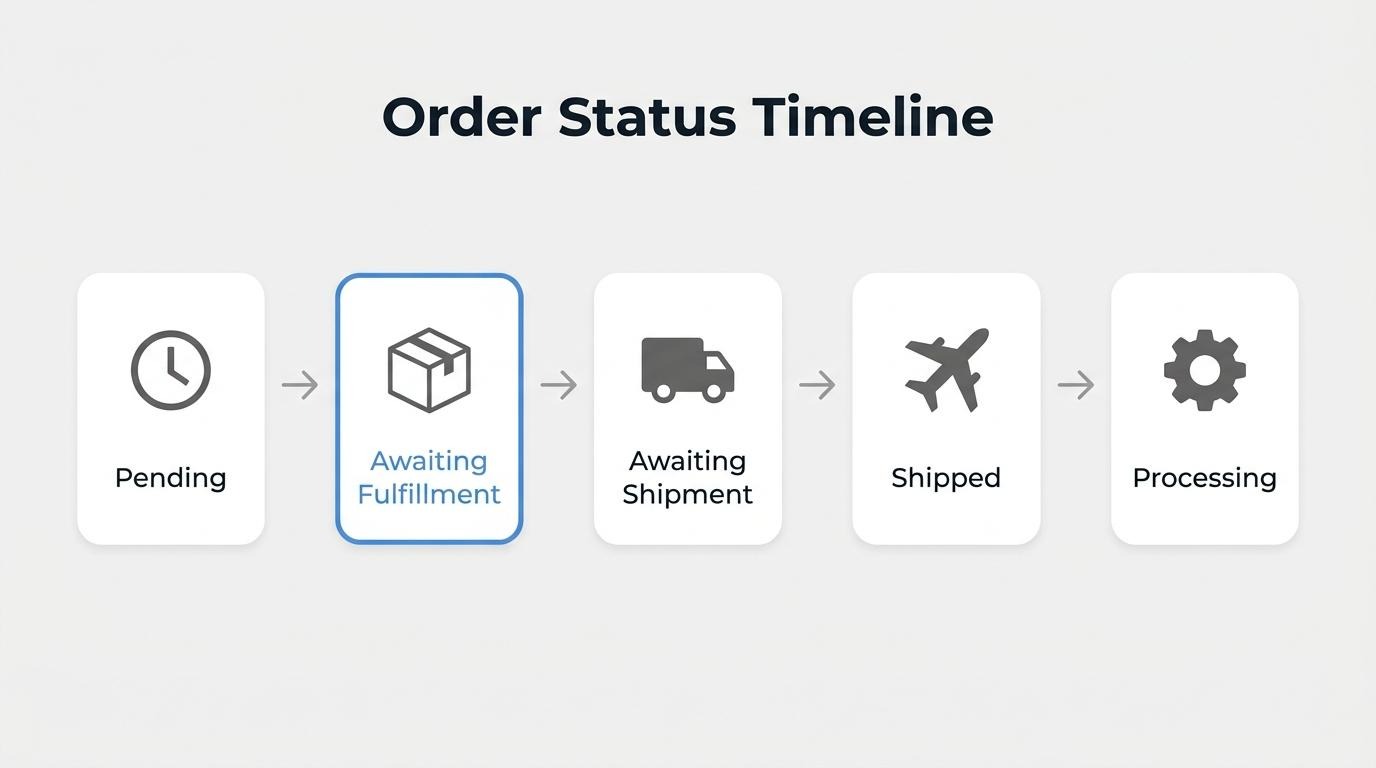
'Awaiting fulfillment' is different from 'awaiting shipment' in where the order sits within the warehouse workflow. Awaiting fulfillment means the order is still being processed internally and is not yet ready to ship. Awaiting shipment means picking, packing, and labeling are complete, but the carrier has not yet collected the package. According to Encore Fulfillment, awaiting shipment indicates the order is ready to ship but the carrier has not picked it up, while awaiting fulfillment means it is still being processed. Confusing these two statuses might generate unnecessary customer support tickets, so displaying them accurately in order tracking reduces friction.
'Awaiting fulfillment' is different from 'processing' primarily in terminology, though the overlap depends on the platform. Some systems use "processing" to confirm that payment was received and stock was reduced, which effectively signals the same readiness for fulfillment. WooCommerce, for instance, assigns "Processing" once payment clears, meaning the order is awaiting fulfillment under a different label. The practical distinction matters most when merchants operate across multiple platforms. If each system names this stage differently, reconciling order data can become harder without a unified order management layer.
'Awaiting fulfillment' is different from 'pending' because pending indicates the order is not yet finalized. A pending status typically means the checkout process was not fully completed, or the payment has not been confirmed. Awaiting fulfillment, by contrast, confirms that payment succeeded and the order is queued for warehouse processing. A "Pending" status is often assigned to incomplete orders where checkout was not fully completed, even if the payment gateway received payment. This distinction is critical for merchants triaging order queues; pending orders need payment resolution first, while awaiting fulfillment orders need operational action.
'Awaiting fulfillment' is different from 'shipped' because shipped confirms the order has left the merchant's control. The "Shipped" status is triggered when the seller executes a ship action. Awaiting fulfillment sits much earlier in the lifecycle, before items are picked, packed, or handed to a carrier. For merchants selling across multiple channels, keeping these statuses accurate matters. Unified order management allows retailers to integrate and/or reduce the need for separate platforms for different sales channels, cutting software and maintenance expenses while ensuring each status reflects reality across every storefront.
An order enters "awaiting fulfillment" when payment confirmation completes and the system flags the item for pick, pack, and ship processing. The specific trigger depends on the payment method, platform configuration, and product type.
According to BigCommerce documentation, new orders that have been paid for receive an "awaiting fulfillment" status by default for physical products, or "completed" for digital products, though this can vary based on the payment gateway and method used. This means the trigger is not universal; it shifts depending on how the store processes transactions.
There are several common conditions that move an order into this status:
The distinction matters operationally. An order sitting in "awaiting payment" has not triggered fulfillment workflows. Only after the payment clears and the platform validates the order does the status shift, signaling the warehouse or fulfillment team to begin processing.
An order should stay in 'awaiting fulfillment' for typically no more than around 24 to 48 hours under normal operating conditions. This window covers the core pick, pack, and label-generation steps before a shipment is handed to the carrier.
Several factors influence whether that window stretches or shrinks:
According to ShipBob, "Awaiting fulfillment is a stage in the order journey that usually happens quite fast owing to the present-day swift logistical solutions." When the status lingers beyond two business days without explanation, it typically signals an operational issue rather than normal processing time.
For merchants, monitoring this window closely is essential. Orders that sit too long without advancing erode buyer confidence, especially since approximately 21% of online shoppers abandon future purchases when delivery feels too slow. Setting internal SLAs around a 24-to-48-hour fulfillment target helps teams catch stuck orders before they become customer service problems.
Understanding healthy timelines is only half the equation; knowing what causes orders to stall reveals where the real bottlenecks hide.
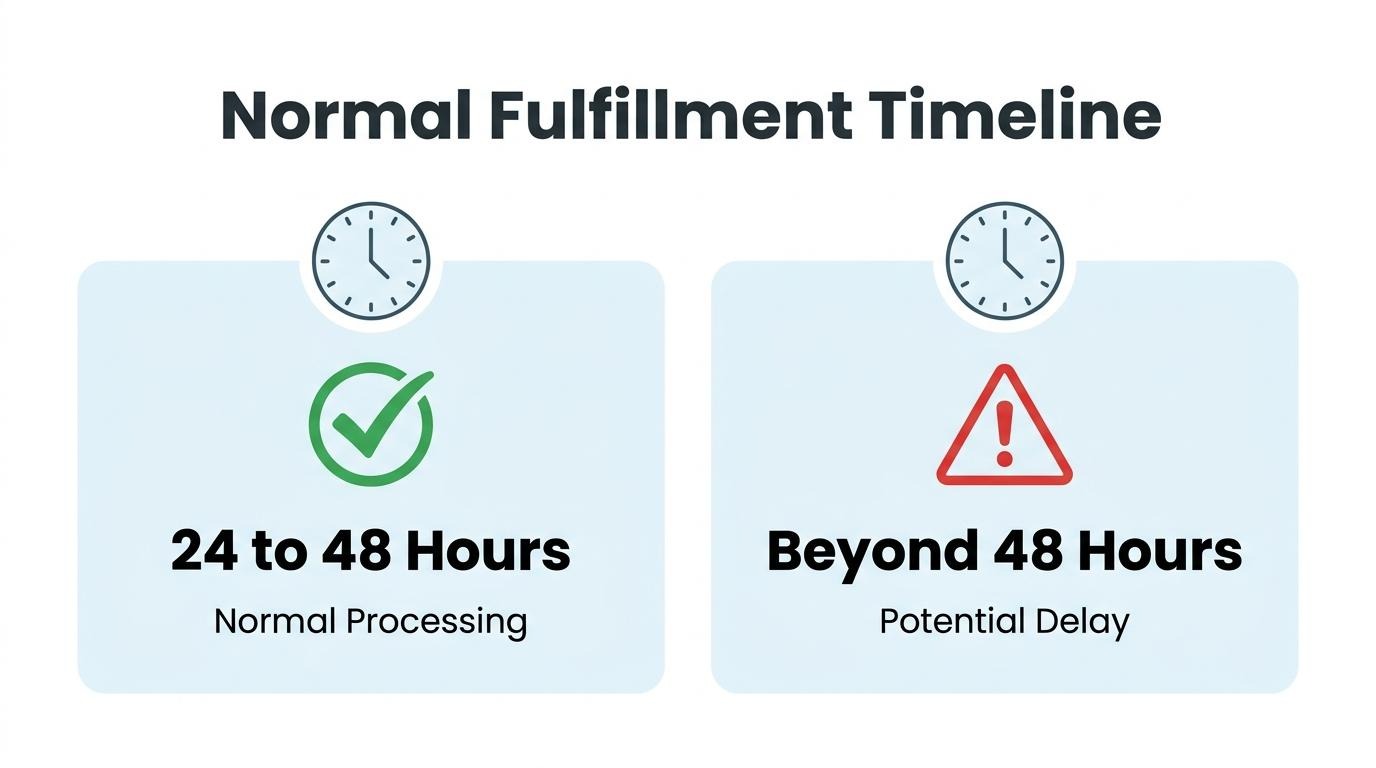
An order gets stuck on "awaiting fulfillment" when something in the backend workflow prevents it from advancing to picking, packing, or shipping. Common causes include inventory shortages, payment verification failures, third-party app disconnects, and manual processing bottlenecks.

Yes, inventory shortages can delay awaiting fulfillment orders. When stock levels reach zero or fall below the quantity required for an open order, the system cannot advance that order to the pick-and-pack stage. Discrepancies between displayed stock and actual warehouse counts create a gap where orders appear confirmed to the customer but sit idle on the merchant's dashboard. Real-time inventory syncing is the most reliable way to prevent this particular delay.
Yes, payment verification issues can stall fulfillment. An order enters the fulfillment queue only after payment clears completely. If the gateway flags a transaction for fraud review, the authorization expires before capture, or the customer's bank declines a secondary verification step, the order remains in a holding pattern. Authorize-only payment flows are a frequent culprit; the checkout completes from the shopper's perspective, but the merchant's system waits for a manual or delayed capture before releasing the order downstream. Merchants who rely on high-risk gateways or international payment methods tend to encounter this more often, making payment reconciliation a critical checkpoint before fulfillment can begin.
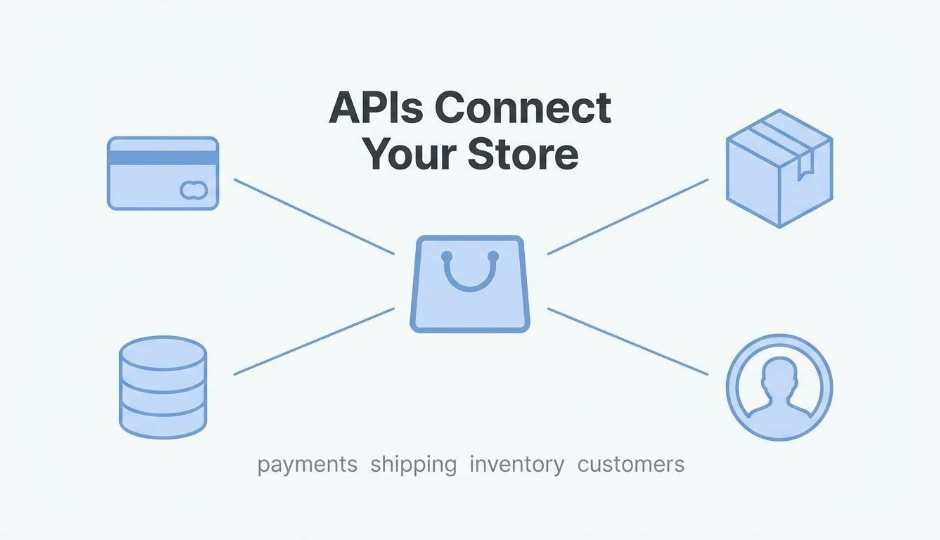
Yes, third-party app disconnects can cause fulfillment delays. When a fulfillment app, warehouse management system, or shipping integration loses its API connection to the storefront, order data stops flowing between systems. The storefront shows "awaiting fulfillment," but the warehouse never receives the pick instruction. These disconnects often go unnoticed until a customer inquires about a delayed shipment. Token expirations, plugin updates, and rate-limit errors are common triggers. For brands running five or more integrated tools, the probability of at least one connection lapsing on any given day increases substantially; each additional integration point is another potential failure surface.
Yes, manual workflow bottlenecks can hold orders in this status. When fulfillment steps require human intervention, such as printing shipping labels, verifying custom orders, or approving high-value transactions, any delay in that person's queue stalls every order behind it.
Overall, identifying the root cause, whether inventory, payment, integration, or workflow, is the first step toward clearing the backlog and resolving stuck orders.
A customer should contact the seller's support team after allowing 24–48 hours for normal processing. The steps below cover how to verify, communicate, and escalate.
An order stuck on "awaiting fulfillment" means the line has been created but shipping has not yet begun. “Awaiting fulfillment" and "pending fulfillment" are often used interchangeably to indicate the order is being picked and packed but is not yet complete. Before taking action, customers should confirm which status actually applies, since a separate "awaiting payment" status indicates the payment itself has not been confirmed, such as in authorize-only transactions.
If the status persists beyond 48 hours, take these steps:
Most stuck orders resolve once the merchant identifies the bottleneck. For customers who shop frequently across multiple stores, these delays often trace back to disconnected backend systems rather than deliberate inaction. Understanding that distinction helps set realistic expectations while the seller works to move the order forward.
A merchant should resolve awaiting fulfillment delays by auditing inventory accuracy, verifying payment captures, checking third-party integrations, and automating manual workflow steps when possible. The sub-sections below cover each resolution strategy.

Merchants can identify the root cause of a stuck order by checking three areas in sequence: payment status, inventory availability, and integration logs. A payment that was authorized but never captured keeps the order in limbo. An out-of-stock SKU prevents the pick-and-pack stage from starting. A disconnected fulfillment app may fail to receive the order data entirely.
According to a 2023 projection by IHL Group, the total global cost of inventory distortion, including out-of-stocks and overstocks, reached $1.77 trillion. Starting with the payment gateway log and working outward to inventory and app connections can isolate the bottleneck faster.
Merchants should prioritize fulfillment queue backlogs by sorting orders based on age, shipping commitment, and customer lifetime value. The most effective triage approach follows this sequence:
Since approximately 72.7% of consumers will not return to a store after a poor delivery experience, according to Forbes, clearing the oldest backlog entries first protects both reputation and repeat revenue.
Automation steps that reduce fulfillment delays include real-time inventory syncing, automatic payment capture rules, and webhook-triggered order routing. Manually updating stock levels or confirming payments one by one creates bottlenecks that keep orders stuck.
Key automations to implement:
For merchants managing real operational complexity across channels, consolidating these automations into a single system eliminates the app-to-app sync failures that silently stall orders. With fulfillment delays addressed, the next consideration is how the overall workflow shapes what customers actually experience.
The fulfillment workflow affects customer experience by shaping delivery speed expectations, communication clarity, and post-purchase trust. Delays or silence during the "awaiting fulfillment" stage directly increase support inquiries and reduce repeat purchase likelihood.
When an order sits in "awaiting fulfillment" without visible progress, customers lose confidence. According to a Forbes report, 72.7% of consumers are likely to not shop from an online business again after experiencing a poor delivery process. That statistic underscores how a single bottleneck in the pick, pack, and ship sequence can lead to damage of a customer relationship.
The most common friction point is the communication gap. Customers see a confirmed order but receive no tracking update, which triggers "Where Is My Order?" (WISMO) inquiries. These support tickets increase operational costs while simultaneously eroding the buyer's perception of reliability. Proactive status notifications during fulfillment reduce WISMO volume and signal professionalism.
Speed matters, but transparency matters more. Customers who understand why an order is still being prepared tolerate reasonable wait times. Those left guessing tend to escalate, leave negative reviews, or request cancellations. For merchants managing fulfillment at scale, even small workflow inefficiencies compound into measurable churn, making each status transition a direct touchpoint in the customer experience.
Order fulfillment across multiple channels works by routing orders from each sales channel through a shared inventory and logistics system. Without real-time synchronization, inventory discrepancies and blind spots multiply. The subsections below cover what happens when inventory falls out of sync and how disconnected systems create fulfillment gaps.
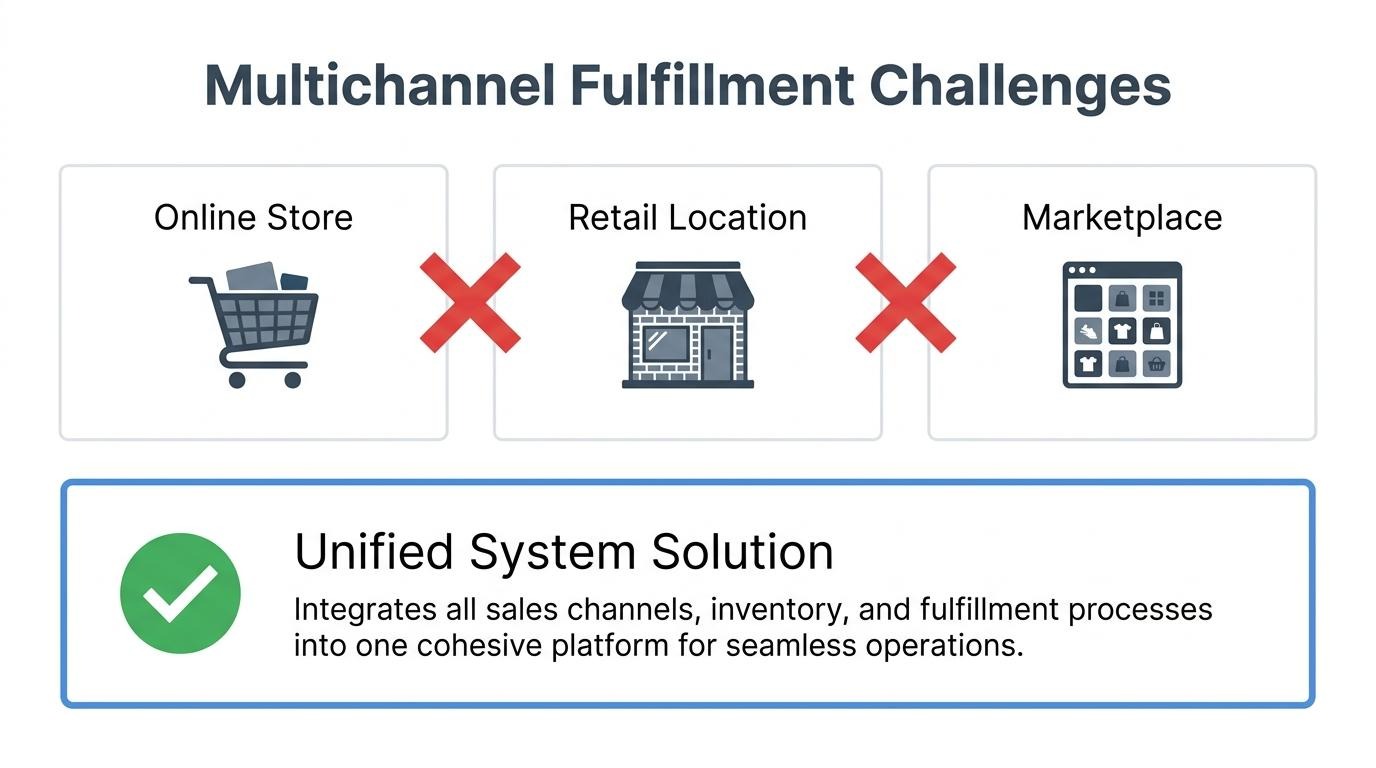
When online and in-store inventory are not synced, merchants risk overselling products that are physically unavailable or holding stock that appears sold out digitally. A customer might purchase an item shown as "in stock" online, only for the warehouse to discover the last unit was sold at a retail location hours earlier. This forces cancellations, refunds, and erodes buyer trust.
Unified commerce ensures real-time inventory visibility across all channels, which prevents over-promising items that are unavailable. Without that visibility, each channel operates on stale data. For brands selling through both a webstore and physical locations, even a few hours of sync lag can cascade into stuck "awaiting fulfillment" statuses and frustrated customers.
Disconnected systems create fulfillment blind spots by fragmenting order, inventory, and returns data across platforms that do not communicate in real time. According to FLEX Logistics, operational blind spots are hidden gaps and disconnects that prevent comprehensive end-to-end supply chain awareness. These blind spots can be amplified in multi-channel customer interactions.
These blind spots can show up in specific ways:
Roughly 30% of all items purchased online are returned, and without integrated systems, return data to the broader inventory system may lag. For scaling brands managing five or more tools, these blind spots compound quickly; consolidating fulfillment data into one system is often the most direct fix.
Understanding these multichannel gaps clarifies why a unified platform approach can reduce stuck orders.
Consolidating fulfillment into one platform reduces stuck orders by eliminating the data silos, sync failures, and manual handoffs that cause orders to stall between disconnected systems. Below, we cover what changes when all order data lives in one system and summarize the key takeaways from this article.
What changes when order, inventory, and CRM data live in one system is that every stage of the order lifecycle operates from a single source of truth. The order lifecycle typically flows through eight distinct stages: capture, validate, reserve, allocate, fulfill, deliver, return, and close. When separate tools manage each stage, data handoffs between them introduce lag, duplication, and errors that can stall orders in a specific stage.
A unified system eliminates these failure points:
Consolidating CRM and inventory tools allows businesses to manage data in one place, reducing manual errors and oftentimes switching costs between systems. For brands processing hundreds of orders daily, that reduction in manual touchpoints is often the single biggest factor in clearing fulfillment bottlenecks. SHOPLINE is one platform that keeps commerce, CRM, and inventory inside a shared data layer, removing the sync gaps that can trap orders between disconnected apps.
The key takeaways about "awaiting fulfillment" covered in this article are:
For brands scaling past the point where app-stack complexity creates operational drag, moving toward a unified fulfillment workflow is one of the most practical paths to fewer stuck orders and thus faster delivery times.